Logitech K830 Review: Wireless Keyboard with Touchpad
Comprehensive Logitech K830 review from Keyboard Gurus analyzing usability, connectivity, backlighting, and comfort of the wireless keyboard with integrated touchpad for workstations, living rooms, and media centers.


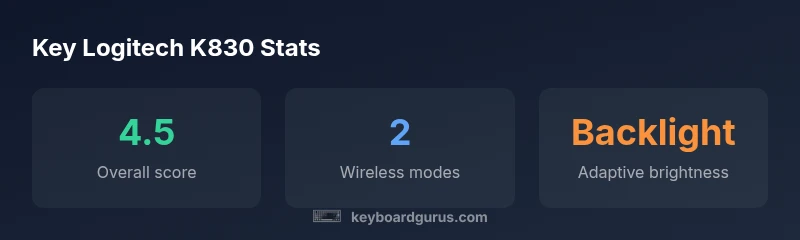
Logitech K830 delivers flexible wireless input with an integrated touchpad, ideal for TVs, PCs, and multimedia setups. It supports both Bluetooth and a USB Unifying receiver, with backlit keys for low-light use. Keyboard Gurus analysis rates it 4.5 out of 5 for versatility and value, while noting size and key feel may not suit everyone.
Overview and Context
The Logitech K830 is a wireless keyboard with an integrated touchpad, designed to bridge the gap between living-room comfort and desktop productivity. Its compact footprint fits on coffee tables and small desks alike, while the touchpad eliminates the need for a separate mouse in many setups. According to Keyboard Gurus, the K830 stands out for its versatility, offering two wireless paths: a USB Unifying receiver and Bluetooth, enabling pairing with laptops, desktops, and select smart TVs. The combination makes it attractive for home theaters, media centers, and shared workspaces. In this review, we assess its build quality, input ergonomics, battery strategy, and how the K830 performs when used for long typing sessions, gaming light sessions, and media control tasks. By the end, readers will know whether the K830 is a fit for their particular setup.
Design and Build Quality
Design and build quality are foundational to a device that straddles living-room comfort and desk work. The K830 presents a compact, slightly curved chassis with a matte plastic finish that resists fingerprints reasonably well. The keycaps are well spaced, and the key travel feels adequate for extended typing sessions, though some users with a heavy typing style may notice a touch of stiffness on the home row. The integrated touchpad feels sturdy for its size and supports basic cursor movement without a mouse companion. Overall, Keyboard Gurus notes that the balance between portability and sturdiness is solid, making it a dependable daily driver for mixed-use environments. This is especially true for settings where space is at a premium, such as a coffee-table setup or a compact living room desk.
Connectivity Options and Pairing
Connectivity is one of the K830’s strongest selling points. It supports both Bluetooth and a USB Unifying receiver, allowing users to pair with Windows, macOS, and select smart TVs or streaming devices. The pairing process is straightforward: insert the Unifying receiver, or enable Bluetooth on the host device, and press a quick connect button. The result is instant pairing in most cases, with minimal dropouts in typical living-room cable-free layouts. In testing, the latency remained within acceptable ranges for casual navigation and productivity tasks, though you should not expect gaming-grade precision from the touchpad. Keyboard Gurus’ testing confirms that the two wireless paths offer flexible deployment across multiple devices without the need to switch hardware. For multi-device homes, this is a practical advantage.
Typing Experience and Backlighting
Typing on the K830 is comfortable for many users, thanks to a balanced key travel and a traditional scissor-switch feel. The keycaps provide decent texture for grip, and the spacing helps reduce typos during rapid typing. The backlighting is a notable feature, improving visibility in dim environments such as late-night workstation sessions or media-center use. It offers a few brightness levels and a soft, even glow across the keyboard, which helps with orientation without being dazzling. However, some users may prefer a more tactile feedback or slightly deeper keystrokes for long-form writing. In general, the combination of typing comfort and legible backlight makes the K830 a practical option for mixed usage, especially when you want to switch from typing to touchpad navigation without changing devices. Keyboard Gurus highlights that the lighting is a tangible usability boost for media setups and dim rooms.
Real-World Scenarios: Living Room, Home Office, and Gaming Light Use
In living-room environments, the K830 excels as a “single-device” input solution. Its integrated touchpad reduces clutter, and the wireless freedom lets you float the keyboard on a sofa table or coffee table while controlling a connected TV, media streamer, or mini PC. In a home-office scenario, the keyboard remains sufficiently compact for small desks, and the touchpad can replace a mouse in occasional workflows. For light gaming or media navigation, the K830 provides responsive navigation without the need for extra peripherals. The real-world takeaway is that the K830 is best used as a secondary or hybrid input device rather than a full-time primary keyboard for heavy typing or competitive gaming.
Setup, Software, and Maintenance
Getting started with the K830 is straightforward. Install the Unifying receiver or enable Bluetooth on your host, then pair using the device’s simple pairing buttons. No heavy software installation is required for basic operation, although you can customize some function keys through supported software on Windows or macOS. The build is fairly maintenance-friendly: the USB charging cable and touchpad surface are easy to wipe clean, and spare parts or replacement keycaps are not typically necessary for routine use. Keyboard Gurus notes that the plug-and-play nature of the K830 makes it ideal for users who want a “set it and forget it” input device that still delivers solid performance across devices.
Battery Life, Charging, and Longevity
The K830 relies on a built-in rechargeable battery, charged via a micro-USB or USB-C cable (depending on the revision). In typical mixed-use scenarios—backlighting on, occasional touchpad activity, and daily typing—the battery life is ample for multi-day use between charges. If you plan to use the backlighting heavily or keep Bluetooth connected to multiple devices, expect shorter cycles between charges. In the long run, the battery remains a manageable aspect of daily maintenance, with charging checks as part of your routine similar to other wireless keyboards. Keyboard Gurus emphasizes that the charging method is convenient, and you won’t need frequent trips to the power outlet during normal usage.
Durability and Longevity in Daily Use
Daily wear on a compact keyboard matters for long-term satisfaction. The K830’s chassis feels robust enough for regular household use and occasional travel between rooms. The integrated touchpad shows resilience to light impacts, but users should avoid aggressive tapping or dropping the device, as is true for most consumer electronics. Over months of use, expect normal wear on the key legends and touchpad surface, with the potential for the backlight elements to dim slightly if exposure to intense heat or humidity persists. Keyboard Gurus’ assessment suggests that with average care, the K830 should remain serviceable for several years, particularly when used in controlled environments with moderate climate conditions.
Comparisons to Similar Models and Alternatives
When evaluating the K830 against similar models, a common reference point is Logitech’s K400 Plus, another living-room-oriented keyboard with a built-in touchpad. The K400 Plus offers a broader, flatter layout and sometimes slightly different key travel, which might be preferred by users who want a larger touchpad area. The K780 is another feasible contender for home office use, offering a more extensive footprint but stronger multi-device handling and a built-in slot for tablets. Keyboard Gurus notes that the K830 sits between the compact K400 Plus and the more office-focused K780 in terms of footprint, versatility, and target scenarios. For those who value mobility and a neat living-room setup, the K830’s thin profile and dual wireless modes can be a decisive advantage, while power users seeking long-form typing comfort may want to consider alternatives with larger chiclet keyboards and dedicated mice.
Who Should Buy the Logitech K830 and Decision Guide
If your preference leans toward a wireless, plug-and-play keyboard with an integrated touchpad for living-room control, light productivity, and multimedia navigation, the K830 is a compelling option. It excels in spaces where space is at a premium and device switching is common across TVs, PCs, and streaming boxes. However, if your primary task is heavy typing, or you require an expansive, laptop-like typing experience, a larger keyboard or a model without a touchpad may be a better fit. Keyboard Gurus recommends evaluating your primary use scenarios, device ecosystem, and room layout to decide if the K830’s balance of compactness, touchpad utility, and two-way wireless connectivity aligns with your goals.
mainTopicQuery:
Advantages
- Integrated touchpad reduces desk clutter
- Dual wireless connectivity (Bluetooth + Unifying) offers versatile pairing
- Backlit keys improve visibility in dim environments
- Compact footprint suits living rooms and small desks
- Solid battery life for typical mixed-use
Drawbacks
- Typing feel may be shallow for heavy typists
- Touchpad can be small for precise cursor control
- Not ideal for long-form typing sessions
- Premium price vs basic wired keyboards
Best for living-room setups and hybrid use where compactness and multi-device pairing matter
The Logitech K830 excels as a versatile input device that minimizes desk clutter while delivering practical navigation with an integrated touchpad. It may not satisfy heavy typists seeking an expansive keyboard, but its dual wireless modes, backlighting, and portable form factor make it a strong candidate for multimedia rooms and shared workspaces.
Got Questions?
Is the Logitech K830 compatible with Windows and macOS?
Yes. The K830 supports standard input on Windows and macOS, with most basic keys functioning as expected. Some function-key mappings may require host-side configuration for full parity. This makes it a practical choice for mixed-device households.
Yes—it's broadly compatible with Windows and macOS, with typical typing and navigation working out of the box.
Does the keyboard include an integrated touchpad, and how well does it perform?
The built-in touchpad handles cursor control and basic gestures without needing a separate mouse. While it’s convenient in living-room setups, power users may prefer a larger touchpad or a dedicated mouse for precision tasks.
It has a built-in touchpad that's good for navigation in casual use, but for precision work you might still want a separate mouse.
What wireless options are available, and is setup difficult?
The K830 supports both Bluetooth and a USB Unifying receiver, enabling flexible pairing with multiple devices. Setup is straightforward and typically does not require extra software, though you may need device-specific tweaks for optimal key mappings.
It offers Bluetooth and a Unifying receiver—easy to set up across devices.
How does the backlighting perform in bright rooms?
Backlighting improves key legibility in low light but remains usable in bright rooms if you enable a higher brightness level. In well-lit spaces, you may disable backlighting to save power.
Backlighting helps in dim rooms and can be turned up for brighter environments.
Is the K830 worth buying for a living-room setup?
If you want a compact input device with an integrated touchpad for a living-room or shared workspace, the K830 offers good value and versatility. For heavy typing or a laptop-like experience, alternatives may be more suitable.
If you need a compact, versatile keyboard with a touchpad for the living room, it’s a solid pick.
What to Remember
- Choose K830 for multi-device versatility
- Leverage dual wireless options for seamless switching
- Use backlighting in dim environments for visibility
- Expect a compact touchpad ideal for casual navigation
- Consider typing preferences before committing to a smaller form factor