Low Profile Keyboard vs Normal: An In-Depth Comparison
A thorough, data-driven look at how low profile keyboards compare to standard-height models across ergonomics, typing feel, portability, durability, and value. Learn practical guidance for choosing the right keyboard height for gaming, coding, or daily typing.


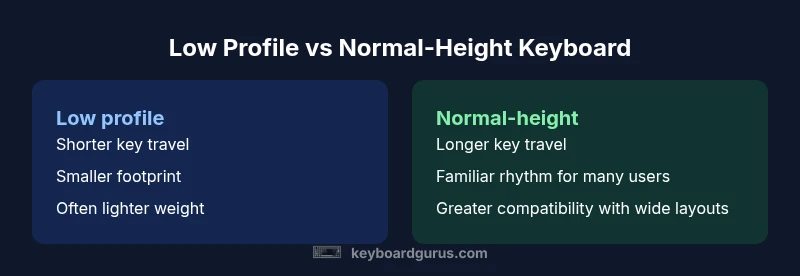
In the debate between a low profile keyboard and a standard-height model, the most impactful factors are ergonomics, desk space, and typing feel. For many setups, a low profile keyboard offers a slimmer footprint and closer wrist alignment, while a normal-height keyboard provides deeper key travel and a familiar layout. Keyboard Gurus’ analysis suggests most daily users balance space savings with travel feel when weighing the choice.
What a low profile keyboard means and who it’s for
A low profile keyboard is typically thinner than its traditional counterparts, with shorter key travel and a chassis that sits closer to the desk. This design can reduce vertical space usage and encourages a flatter wrist position for some users. However, the experience varies by switch type, keycap profile, and build quality. When you compare a low profile keyboard vs normal, the decision hinges on how you type, your desk footprint, and how much you value travel distance. According to Keyboard Gurus, height differences influence wrist angle and typing posture more than aesthetics, especially for prolonged sessions. If your daily tasks involve long typing bursts, the reduced height can either improve comfort or feel less natural depending on your switch and keycap profile. For light users or tight workstations, a low profile keyboard often wins on space and setup flexibility. If you value key travel and a traditional rhythm, a standard-height keyboard remains compelling. In many real-world scenarios, a “low profile keyboard vs normal” choice is about balancing ergonomics with desk layout, not chasing a single universal best. This framing helps readers ahead of shopping decisions to identify the primary trade-offs before testing toys or purchasing gear.
Core differences at a glance
Key designers use height as a core differentiator. A low profile keyboard typically reduces total height by thickening the case and shortening key travel, whereas normal-height models emphasize longer key travel and broader tactile feedback. The result is a different typing cadence, with low profile keyboards offering a quicker, more top-row responsive feel in some switches and a subtler tactile line in others. The trade-offs also include weight, case rigidity, and compatibility with keycap profiles. If you want a slim, unobtrusive desk setup, you’ll likely lean toward a low profile keyboard; for users who prioritize a traditional typing rhythm or a wider array of switch options, a normal-height keyboard may feel more natural. In practice, most users experience smooth transition by trying both styles side-by-side and noting how their wrists align during typical work tasks and gaming sessions.
Typing experience and ergonomics
Typing experience is where the height difference becomes most noticeable. Low profile keyboards often pair with shorter key travel and lighter actuation forces, which can reduce finger fatigue for some users and deliver a snappier response for fast typists. However, the feedback and rebound can feel less pronounced if you’re accustomed to deeper key travel. Ergonomics also hinge on the overall keyboard design, including the tilt feet, chassis geometry, and the angle created by the desk surface. A normal-height keyboard typically offers more pronounced tactile feedback and travel, making it easier to register a decisive keystroke for certain switches. Ergonomic outcomes depend on individual hand size, typing posture, and whether you use a keyboard tray or desk wedge. For many people, the key is to test both heights with a similar typing task to gauge wrist comfort and fatigue after 20–30 minutes of continuous typing.
Portability and desk ergonomics
Portability is often a primary driver for choosing a low profile keyboard. Slimmer cases and lighter weights translate to easier travel and minimal desk footprint, which benefits compact workstations, laptops docking setups, and standing desks where space is at a premium. In contrast, a standard-height keyboard can dominate more desk real estate, especially if it uses a full-size layout with a separate numeric keypad. Ergonomically, the lower height can reduce the angle of wrist extension for some setups, but it may require a different chair height or desk height to maintain ideal posture. The result is a practical decision: if you move between rooms or jobs, the lighter, thinner option often travels well; if you stay put, you might trade portability for a familiar typing feel and consistent layout.
Compatibility and layout considerations
Compatibility matters beyond height alone. Some low profile keyboards leverage short-throw switches and flat keycaps that don’t always align with traditional keycap sets or multi-layout keyboards. If you rely on hot-swappable switches or prefer a deep layer of macro programming, ensure the model you choose supports the needed layer depth and software features. Layout options vary as well; many compact low-profile keyboards use 60%, 75%, or tenkeyless designs, which may sacrifice dedicated function keys or media controls. Before buying, verify that the layout, keycap profile, and switch compatibility match your workflow. If you work with specialized software or rely on a consistent key spacing (like programmers and data analysts), the height difference can influence muscle memory; some users adapt quickly, others prefer the familiarity of a full-size, normal-height board.
Price, value, and durability considerations
Price ranges for both categories cover a broad spectrum. Entry-level low profile keyboards tend to be affordable, while premium builds with premium plastics, aluminum housings, and advanced keycaps can command higher prices. Normal-height keyboards span from budget to high-end, with travel and switch options heavily influencing cost. Durability depends on build quality, keycap material, and switch longevity, not height alone. While some low profile designs may use thinner materials, there are durable options in both categories. To maximize value, compare price-to-performance by focusing on key factors like switch type, keycap material, case rigidity, and warranty length rather than height alone. Keyboard Gurus’ recommendations emphasize evaluating total cost of ownership, including replacement keycaps, maintenance, and potential liquidity in future upgrades.
Use-case scenarios: gaming, coding, typing, travel
Gaming often values rapid actuation and repeatable keystrokes, and some players prefer the snappy feel of specific low profile switches. Others rely on longer travel for consistent keystrokes under rapid multi-key presses, which a normal-height keyboard can better support. For coding, long sessions benefit from stable ergonomics and comfortable wrist alignment; the height choice depends on how your chair and desk interplay with your posture. Typists who spend hours typing emails or documents may benefit from the flatter wrist angle of a low profile keyboard, while those who rely on precise tactile feedback might prefer the travel and bump feel of a standard-height keyboard. Travel users should consider the practicalities of portability, weight, and protection; many travelers appreciate the compact footprint and lighter weight of low-profile designs. Ultimately, the best choice aligns with your daily tasks, desk configuration, and personal preferences, which is exactly the lens Keyboard Gurus recommends using when comparing the two.
Maintenance, care, and long-term reliability
Maintenance for both types centers on cleaning and protecting switches or stabilizers from dust and debris. Low profile keyboards may require special attention to keycap style and stabilizer noise since some flat profile caps can trap dust differently. Normal-height keyboards offer a wider range of switches and stabilizers, which can complicate maintenance if you swap parts often. In daily use, routine cleaning with compressed air and a microfiber cloth, together with periodic keycap cleaning, is sufficient to keep both types performing well. If you opt for hot-swappable options, keep spare switches on hand and check for firmware updates that improve reliability. Longevity is more closely tied to manufacturing quality and proper care than to height alone.
How to choose: a practical decision framework
Start with your workspace: measure desk height, chair height, and monitor position to determine if a lower silhouette will reduce wrist strain or simply fit better on your desk. List your key use cases (gaming, programming, writing) and rank the importance of travel versus typing feel. Test both heights in a store or with a home trial to gauge the weight, stability, and key feel. Finally, assess compatibility with your preferred keycaps and switches, especially if you have a favorite profile. Your decision should blend ergonomics, layout needs, and budget. By following this framework, you can confidently select a keyboard height that aligns with your workflow, whether you opt for a low profile keyboard vs normal or vice versa.
Comparison
| Feature | Low profile keyboard | Normal-height keyboard |
|---|---|---|
| Key travel feel | shorter travel | longer travel |
| Typing posture impact | potentially more neutral wrist angle | typical wrist angle with longer travel |
| Desk ergonomics | smaller footprint, sleeker profile | larger footprint, traditional footprint |
| Portability | lighter and thinner | slightly heavier, broader footprint |
| Price range (indicative) | varies; often affordable to premium | varies widely across brands and layouts |
| Durability considerations | depends on build; trendy thin profiles can vary | robust options widely available |
| Best for | compact desks, travel, space-limited setups | gaming desks, typing with full travel, extensive key layouts |
Advantages
- Compact footprint saves desk space
- Lighter weight improves portability
- Quieter handling with certain keycaps and switches
- Faster access to primary keys in tight setups
- Potentially lower air gap under keys aids cleaning
Drawbacks
- Reduced key travel may affect tactile feedback for some users
- Some models may have limited switch options
- Keycap compatibility can be restricted with certain profiles
- Durability can vary with premium thin designs
Low profile keyboard wins for space-saving setups and quick access; normal-height keyboards win for comfort and traditional typing feel
Choose a low profile keyboard when desk space and portability are priority. Choose a normal-height keyboard if you value deeper key travel and a familiar rhythm. Keyboard Gurus recommends testing both in real-work scenarios to decide based on your needs.
Got Questions?
What is the main difference between a low-profile keyboard and a regular keyboard?
The main difference is height and key travel: low-profile keyboards are thinner with shorter travel, while regular keyboards have taller profiles and longer travel. The choice affects ergonomics, feel, and how much desk space the keyboard occupies.
The main difference is height and travel: low-profile keyboards are thinner with less travel; regular keyboards are taller with more travel.
Are low-profile keyboards good for gaming?
Many gamers enjoy the snappy response and lighter touch of low-profile keyboards for fast keystrokes, but some prefer deeper travel for tactile feedback and full-width layouts. Your preference and the switches you choose will determine performance.
Gamers may like the quick, snappy feel of low-profile keys depending on the switches you pick.
Do low-profile keyboards have quieter switches?
Quieter operation can be possible with certain switch types and keycap choices, but noise level ultimately depends on the combination of switch, stabilizers, and keycaps. Both heights can be quiet with the right setup.
Noise depends on the switch and keycap—both heights can be quiet with the right parts.
Will a low-profile keyboard fit my keyboard tray or desk setup?
Most low-profile keyboards are designed to fit standard desk layouts, but always verify height, width, and the placement of any feet or tilt options to ensure compatibility with your tray or stand.
Check those measurements so it fits with your tray and desk height.
How should I decide between low-profile and normal-height for long work sessions?
Consider ergonomic comfort, wrist angle, and fatigue after 20–30 minutes of typing. If possible, test both heights with your typical tasks to see which minimizes strain over extended use.
Test both heights for 20–30 minutes to see which reduces fatigue.
Does maintenance differ between the two heights?
Maintenance is similar in approach: clean regularly, protect switches and stabilizers, and ensure keycaps are compatible with your chosen profile. The height itself does not drastically change maintenance needs.
Maintenance is similar; just watch for keycap compatibility and dust in unique layouts.
What to Remember
- Test both heights to feel the difference in wrist angle
- Prioritize desk space and travel needs for low profile keyboards
- Evaluate key travel and switch options before buying
- Check layout compatibility with your workflow
- Balance price with build quality and warranty