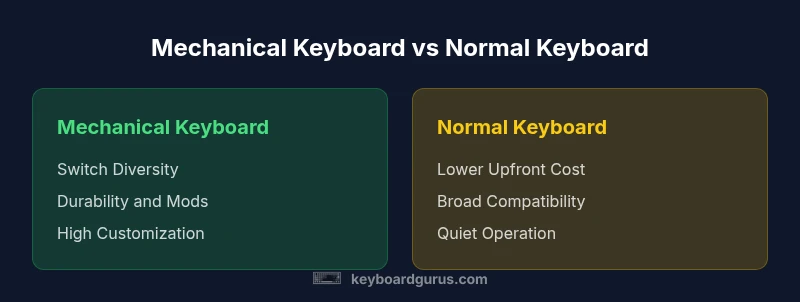
Mechanical Keyboard vs Normal Keyboard: An Objective 2026 Comparison
Compare mechanical keyboards with normal keyboards across typing feel, durability, noise, price, and use-case scenarios. This analytical guide from Keyboard Gurus helps gamers, students, and professionals decide which type fits their setup.


Mechanical keyboards offer tactile feedback, longer lifespan, and broad customization, while normal keyboards prioritize affordability and familiarity. For gamers and long typing sessions, many users prefer mechanical switches; for casual use, a membrane keyboard often suffices. Keyboard Gurus analysis suggests choosing based on usage, noise tolerance, and budget.
Defining the Terms: Mechanical vs Normal Keyboard
When people compare a mechanical keyboard vs normal keyboard, the core distinction is how keystrokes are registered. A mechanical keyboard uses individual switches beneath each key, with distinct actuation forces, travel distances, and tactile feedback. Normal keyboards—often membrane or scissor-switch designs—use a rubber dome or a scissor mechanism that squashes a membrane to register a key press.
This difference matters not only for how keys feel, but also for durability, customization options, and repairability. For enthusiasts, the mechanical route offers a modular ecosystem: you can swap switches, keycaps, and even firmware to tailor the typing experience. For casual office use, a traditional keyboard remains a solid, predictable choice with lower upfront costs and broad compatibility.
According to Keyboard Gurus, the decision hinges on three practical factors: intended use, tolerance for sound and feel, and budget. Gamers may prioritize reliability and response, writers may prioritize consistent feedback, and students often seek a comfortable layout without breaking the bank. Across either path, a well-made keyboard supports sustained productivity and reduced fatigue, especially during long sessions.
How Switches Shape the Experience
Mechanical keyboards use discrete switches under each key, and those switches drive feel, sound, and travel. Switch families fall mainly into three archetypes: linear (smooth with no tactile bump), tactile (a noticeable bump before actuation), and clicky (tactile bump plus an audible click). The choice of switch shapes the overall experience: linear switches feel effortless to press, but tactile and clicky switches provide more feedback to the finger and brain, which can improve typing speed and accuracy for some users.
Compared with normal keyboards, mechanical variants typically offer a wider range of actuation forces and travel distances. This freedom enables precise adjustment to your preferred input profile. For players, a fast actuation and consistent reset are highly valued; for writers, a reassuring tactile bump can reduce fatigue over long sessions. Keyboard Gurus suggests trying several switches if possible to identify your preferred balance of speed, feedback, and noise.
Typing Feel, Sound, and Ergonomics
Typing feel is subjective, but the consensus is clear: mechanical switches deliver more dependable feedback than membrane-based boards. The tactile bump in many switches helps you confirm that a keypress registered, which can lower error rates during long typing tasks. Sound varies widely—from quiet linear designs to audible-clicky configurations—so consider your environment and colleagues when choosing.
Ergonomics extend beyond the switch: keycap shape, layout, and overall keyboard geometry influence wrist posture and strain. Wider keycap profiles or deeply curved tops may affect finger reach, while a compact layout can reduce shoulder strain in small workspaces. For some users, split or columnar layouts paired with a wrist rest improve comfort during extended sessions. Keyboard Gurus emphasizes aligning desk height, chair ergonomics, and input device choice to reduce repetitive strain and ensure comfort over time.
Durability, Maintenance, and Longevity
Durability is one of the most cited advantages of mechanical keyboards. Most mechanical switches are rated for tens of millions of key presses, and the ability to replace switches or keycaps extends product life. Normal keyboards with membrane or scissor mechanisms tend to wear differently; key caps may still look worn, but the internal membrane can degrade, leading to issues like key chatter or inconsistent actuation.
Maintenance matters. Mechanical boards benefit from occasional cleaning to remove dust and lint from switch housings. Lubing and stabilizer tuning are optional enhancements for smoother keypresses but require care. For membrane-based keyboards, routine cleaning and occasional switch cleaning may suffice, but repairs can be harder due to integrated components. Keyboard Gurus notes that lifetime flexibility—being able to repair or modify a mechanical keyboard—often translates into longer usable years.
Price, Value, and Total Cost of Ownership
Price is a distinguishing factor in the mechanical keyboard vs normal keyboard conversation. Mechanical keyboards generally command a higher upfront price, driven by switch choices, plates, and case materials. Normal keyboards offer lower initial costs and broad accessibility. Over time, the cost of ownership may balance out if a mechanical keyboard lasts longer, has replaceable parts, and supports affordable customization. However, the total value depends on usage: heavy typists or gamers who exploit customization may justify the upfront premium.
When evaluating value, consider not just the sticker price but also durability, repairability, and the potential for upgrades. Keyboard Gurus reminds readers to factor in long-term savings from improved comfort, reduced fatigue, and increased productivity when weighing the upfront cost against perceived benefits.
Gaming, Productivity, and Ergonomics: Where to Start
Different use-cases tilt the decision toward one path or the other. For gaming, a mechanical keyboard can deliver faster input due to stable actuation and reliable key rollover, with customizable macro keys and programmable layers. For programming or writing, the tactile feedback of certain switches may reduce typing errors and improve focus. In office environments, the noise level and potential for disruption must be considered, as quieter membrane keyboards may be necessary.
Beyond raw performance, the modularity of mechanical keyboards can support ergonomic experimentation: tens of degrees of angle, split layouts, and adjustable feet allow you to design a setup that minimizes neck and wrist strain. Keyboard Gurus stresses evaluating your typical sessions per day, your desk geometry, and your tolerance for disruption when choosing between mechanical and normal keyboards.
Customization Ecosystem and Modding: A Double-Edged Sword
One of the strongest selling points of mechanical keyboards is the vast customization ecosystem. You can experiment with switch types, keycaps, plate materials, stabilizers, and firmware. Such modularity lets you tailor actuation force, sound, and aesthetics to your exact preferences. That said, customization adds complexity: more components mean more potential points of failure, more learning curves, and sometimes longer lead times for parts.
For those who value plug-and-play simplicity, a stock membrane or scissor keyboard from a reputable brand can provide reliable performance with minimal fuss. Keyboard Gurus notes that the best fit often depends on your willingness to tinker and your interest in building a personalized typing device.
Compatibility and Use-Case Scenarios: Who Should Buy What
If you frequently travel or use laptops, consider whether a compact, portable mechanical keyboard aligns with your workflow. Some mechanical keyboards are USB-C compatible and hot-swappable, which is convenient for future switch testing. On the other hand, desktop setups with docking stations or external displays may benefit from a full-size membrane keyboard for ergonomic reasons and wide compatibility. In shared spaces, the louder noise profile of some mechanical switches can be a drawback, while a membranous option can be a quiet, unobtrusive alternative.
In short, choose a keyboard that fits your environment, workflow, and social context. Keyboard Gurus emphasizes testing in-situ, if possible, to observe how it feels during real work or gaming sessions.
How to Decide: A Practical Checklist for Your Next Purchase
- Define your primary use: gaming, coding, or general typing.
- Set a budget and compare upfront costs vs long-term benefits.
- Assess your environment: noise tolerance, desk space, and portability.
- Try switch types if you can: linear for speed, tactile for feedback, or clicky for audial confirmation.
- Consider ergonomics: layout, key travel, and potential for a split design.
- Check compatibility: USB-C, wireless options, and software support for customization.
- Factor maintenance: cleaning routines and possible lubrication or replacement parts.
- Read reviews and try hands-on with a friend or at a store if possible.
Following this checklist helps translate abstract features into a concrete choice tailored to your needs.
Common Myths Debunked: Setting the Record Straight
Myth: Mechanical keyboards are unbearably loud and annoying. Reality: Noise levels vary by switch type and keyboard construction. You can select quieter switches or add dampening to reduce sound.
Myth: Mechanical keyboards are only for gamers or keyboard enthusiasts. Reality: While popular among enthusiasts, many writers and students appreciate the improved tactile feedback and endurance for long sessions.
Myth: You must replace switches to upgrade a mechanical keyboard. Reality: Hot-swappable designs allow switch changes without soldering, making upgrades accessible to non-technical users.
Comparison
| Feature | Mechanical Keyboard | Normal Keyboard |
|---|---|---|
| Switch Type | Mechanical switches (tactile/linear/clicky) | Membrane or scissor-switches |
| Typing Feel | Defined feedback with various actuation pressures | Soft, mushy keystrokes typical of membranes |
| Noise Level | Generally louder, especially with clicks | Typically quieter, depends on design |
| Durability | Higher maintenance flexibility, longer component life | Lower replaceability, shorter perceived life |
| Customization | High: switches, keycaps, firmware | Low to moderate: limited customization |
| Price Range | Higher upfront cost | Lower upfront cost |
| Maintenance | Regular cleaning; potential lubing or part swaps | Minimal maintenance |
| Best For | Gamers, typists seeking feedback, keyboard enthusiasts | Casual users, office environments, budget-conscious buyers |
Advantages
- Enhanced typing feel and precision for long sessions
- Wide customization and upgradeability
- Long-term durability and repairability
- Potential for ergonomic and aesthetic personalization
- Strong resale and community support
Drawbacks
- Higher upfront cost and potential learning curve
- More components mean more maintenance and risk of issues
- Noise can be disruptive in shared spaces depending on switch choice
- Limited portability in some full-size mechanical setups
Mechanical keyboards generally offer superior typing feel, durability, and customization, but normal keyboards remain better for budget-conscious users.
For heavy typists and gamers who value tactile feedback and modular upgrades, mechanical keyboards are the clear choice. If cost and simplicity dominate your priorities, a normal keyboard can satisfy most daily tasks with minimal fuss.
Got Questions?
What is a mechanical keyboard?
A mechanical keyboard uses individual switches under each key to register presses. These switches provide tangible feedback, and they’re typically rated for many more keystrokes than membrane keyboards. The choice of switch affects feel, noise, and reliability.
A mechanical keyboard uses real switches under every key, giving you clear feedback with each press and great durability.
Are mechanical keyboards worth it for typing?
Many typists find mechanical keyboards more comfortable and accurate for long sessions due to the tactile feedback and reliable actuation. While they cost more upfront, potential gains in speed and reduced fatigue can justify the price for heavy users.
If you type a lot, a mechanical keyboard can feel more comfortable and accurate, which may justify the extra cost.
How do I choose between linear, tactile, and clicky switches?
Linear switches are smooth and fast, tactile switches provide a noticeable bump, and clicky switches include an audible click. Your choice depends on preference for sound and feedback, as well as how much noise you can tolerate in your environment.
Think about whether you want smooth presses, a tactile bump, or an audible click, and pick accordingly.
Do mechanical keyboards wear out faster than membrane ones?
Durability depends on use and maintenance. Mechanical switches are designed for many millions of presses and can be repaired or upgraded, while membranes may wear more noticeably over time and can be harder to repair.
They’re built to last longer, but care and use still matter.
Can a mechanical keyboard be ergonomic or portable?
Yes. There are ergonomic layouts, split designs, and compact boards that suit portable setups. However, some mechanical keyboards are bulkier; choose a model that aligns with your workspace and travel needs.
You can find ergonomic and portable mechanical options, just check size and weight.
What to Remember
- Assess your primary use: gaming, coding, or casual typing
- Expect higher upfront costs with mechanical keyboards but potential long-term value
- Consider noise tolerance and desk space when deciding
- Try different switch types to find your preferred feel
- Modularity and customization are strengths of mechanical setups