Mastering the Online Keyboard to Play: A Practical Guide
Learn how to pick and use an online keyboard to play. This guide covers platform features, setup, practice routines, latency considerations, and troubleshooting to improve your digital piano practice in 2026.


By the end of this quick guide, you'll know how to choose a platform, set up audio latency, select instrument voices, and build a focused practice routine on an online keyboard to play. You'll also understand common pitfalls and how to troubleshoot connection issues so you can start playing confidently.
What is an online keyboard to play?
An online keyboard to play is a browser-based piano simulator that lets you press virtual keys on your screen or play through a connected MIDI controller. It runs directly in your web browser, using your device's audio system to generate sound. This makes it ideal for travel, quick warm-ups, or when a physical piano isn’t available. According to Keyboard Gurus, a high-quality online keyboard should support polyphony (simultaneous notes), multiple instrument voices, and responsive input to closely resemble real piano touch. When choosing a platform, look for latency below a practical threshold, reliable note sustains, and the ability to customize keyboard layouts. The main benefits are accessibility, low cost, and immediate access to scales, chords, and beginner repertoire. Potential drawbacks include latency jitter, limited dynamic range, and the absence of tactile feedback that a physical keyboard provides. To counter these, use good headphones, a stable internet connection, and set realistic expectations based on your goals.
Why latency matters for online piano practice
Latency is the delay between pressing a key and hearing the sound. Even small delays can throw off timing, especially for beginners learning rhythm or for players working on fast passages. Different platforms implement audio pipelines differently, so what feels responsive on one site might feel laggy on another. Keyboard Gurus emphasizes testing latency with simple patterns (a single-note repeated quarter notes) before committing to a platform. If you notice noticeable lag, try a wired connection, disable unnecessary browser extensions, choose a lower-latency instrument voice, and close other apps that compete for CPU and bandwidth. While latency is mostly a browser and device issue, you can minimize its impact through a well-optimized setup and consistent practice routines.
How to evaluate platforms quickly (before committing)
Start with a 60-second latency check using a simple C major scale or a few arpeggios. Compare how the sound aligns with your key presses across two or three platforms. Check the available instrument voices, the presence of a metronome, and whether the interface supports mapping the on-screen keys to your preferred layout. A good online keyboard should offer a balance of accuracy, features, and ease of use. Remember to test on both desktop and mobile browsers if you plan to practice on the go. Keep a short notebook of comfort scores for each option to guide your final choice.
Practical considerations for long-term use
Beyond latency, consider how the platform handles multi-note chords, sustain pedal emulation, and voice variety (pianos, electric pianos, organs). Some websites provide practice modes or lesson packs that align with common repertoire, making it easier to stay motivated. If you anticipate offline practice, look for export options or the ability to save practice sessions as a local profile. Finally, confirm that the platform respects accessibility options—such as keyboard shortcuts and screen reader compatibility—so you can learn comfortably over weeks and months.
Tools & Materials
- Internet-enabled computer or tablet(Stable connection; up-to-date browser)
- Headphones or quality speakers(Improves perceived latency and reduces feedback)
- Web browser (Chrome, Edge, Safari) or mobile browser(Enable JavaScript/Web Audio API)
- MIDI keyboard (optional)(USB/Bluetooth connection recommended)
- USB cable and adapters (if using external MIDI)(Ensure compatibility with your device)
- Notepad and practice plan(Track aims, mistakes, and progress)
- Stable power source(Keep devices charged during practice sessions)
Steps
Estimated time: 45-75 minutes
- 1
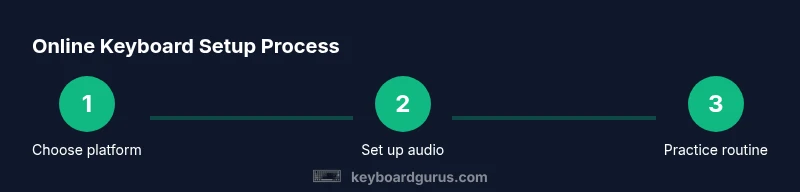
Choose a platform and check latency
Open two credible online keyboard platforms and perform a quick 60-second latency test. Note alignment of your key presses with the audio output and pick the option with the most responsive feel for your setup.
Tip: Document initial latency scores to compare over time. - 2
Set up audio input/output
Connect headphones or speakers, choose a low-latency audio output, and disable any other programs that might hog CPU resources. This reduces dropouts and improves timing accuracy.
Tip: Use wired headphones if possible for the most stable signal. - 3
Test input methods
If you’re not using a MIDI keyboard, verify that the on-screen keys respond consistently to clicks or taps. If using a MIDI controller, ensure its firmware is up to date and the connection is stable.
Tip: Map the on-screen keys to your preferred layout before heavy practice. - 4
Learn a simple routine
Start with a C major scale and a basic chord progression. Practice at a slow tempo, focusing on even timing and clean note attack.
Tip: Use a metronome or timer to maintain steady tempo. - 5
Incorporate longer pieces gradually
Add one or two short tunes, paying attention to rhythm, phrasing, and dynamics as you play. Break longer sections into manageable chunks.
Tip: Break scores into 4-bar phrases to avoid overwhelm. - 6
Create a sustainable practice plan
Set daily 15–20 minute blocks, rotating between technique, repertoire, and sight-reading exercises. Track progress and adjust goals weekly.
Tip: Consistency beats intensity; short, focused sessions yield better results.
Got Questions?
What is an online keyboard to play?
An online keyboard to play is a browser-based piano that you can play using your computer keyboard, mouse, or a MIDI controller. It runs inside your web browser and uses your device’s audio engine to generate sound.
An online keyboard is a web-based piano you can play through your browser, using keyboard input or a MIDI device.
Do I need MIDI hardware to use online keyboards?
No, many online keyboards work with on-screen keys or computer keyboard mappings. A MIDI keyboard can enhance feel and expressiveness, but it is optional for beginners.
No hardware is required to start; you can begin with the on-screen keys and add MIDI later if you want.
Can I practice scales on an online keyboard?
Yes. Most platforms include scale patterns, metronomes, and built-in tempo controls to help you practice scales and arpeggios effectively.
Absolutely—most online keyboards offer scales and metronome features to build technique.
Why is latency an issue and how can I reduce it?
Latency arises from the browser's audio pipeline and network. Reduce it by using a wired connection when possible, closing background apps, and selecting low-latency voices or modes on the platform.
Latency happens in the audio path; fix it by using a wired connection and closing other programs.
Are online keyboards free to use?
Many online keyboards offer free access with optional premium features or lessons. Check for trial periods or freemium models before committing to a paid plan.
Most have free access with optional upgrades; evaluate what you need before paying.
Watch Video
What to Remember
- Choose platforms with low latency and good polyphony.
- Use headphones and a stable internet connection.
- Map keys or MIDI to your preferred layout for comfort.
- Practice regularly with structured routines and goals.
- Keyboard Gurus's verdict: online keyboards are excellent for warm-ups and accessibility, but expect some latency adjustments depending on hardware.