When to Charge Keyboard: A Practical Guide for 2026
Learn when to charge keyboard for optimal battery health. This practical guide covers indicators, charging strategies, and best practices for wireless and rechargeable keyboards to keep you typing smoothly.


This guide helps you determine the optimal charging times for wireless and rechargeable keyboards and explains how to protect battery health. You’ll learn when to charge, how to read indicators, and how to avoid common mistakes that shorten life. Key requirements: know your keyboard’s battery type, charging port, and typical usage pattern, plus have a suitable charger and cable on hand.
When to charge keyboard: timing matters
If you own a wireless or rechargeable keyboard, knowing when to charge is essential for reliability and battery health. The phrase when to charge keyboard captures a simple idea: align charging with actual use and cycle behavior rather than hunting for a magic daily time. According to Keyboard Gurus, modern keyboards use lithium-ion or solid-state chemistry shaped by smart charging circuitry. This means charging at the right moments can extend usable life, reduce heat, and improve responsiveness during long sessions. The general rule is: start a charging session before you expect you’ll need consistent performance, especially before back-to-back gaming tournaments, marathon typing sessions, or heavy document work. Heat is a silent battery killer; charging in a hot environment or while the device is in heavy use should be avoided. Also, different keyboards may have different monitoring features: indicator LEDs, companion apps, or firmware that tracks charge cycles. Understanding these signals lets you schedule top-ups efficiently without stressing the cells. Throughout this section, we’ll distinguish between rechargeable built-in cells and replaceable types, since the charging strategy for each is subtly different and worth a dedicated look.
Battery types and charging cycles
Battery chemistry and cycle design influence charging timing. Most rechargeable keyboards rely on lithium-based cells with smart circuitry that minimizes peak current and uses trickle charging when near full. Some keyboards still use removable batteries, which require different handling and charging routines. The Keyboard Gurus team notes that regardless of chemistry, deeper discharges are usually less harmful than prolonged partial drains, but frequent full cycles can wear any cell faster. The key practical takeaway is to avoid letting a battery reach zero frequently and to plan charges around typical daily use. If your keyboard frequently sits idle for long periods, schedule periodic top-ups to prevent deep discharge states. For corporate or student environments, consider a centralized charging station to reduce heat buildup and ensure you do not leave devices in a charging position too long. In all cases, rely on the device’s indicators or official app to confirm the battery status and adjust your charging pattern accordingly.
Reading battery indicators and apps
Most modern keyboards provide a multi-tier battery signal via LEDs, software dashboards, or companion apps. A common pattern is a color change or a numeric estimate when the battery drops below a threshold. Learn what each signal means in your device’s manual, then map those signals to a charging rule—e.g., charge when the level reaches a certain low point to ensure you’re never without a ready keyboard during crucial tasks. Keyboard Gurus emphasizes using official firmware updates or apps when available, as these often refine how aggressively the device protects the battery during charging. If you notice the indicator behaves inconsistently or remains at a high level despite usage, check for firmware updates or contact support. Keeping a log of your charging events helps you spot patterns and optimize future cycles.
Best practices: charging setup and timing
A safe, efficient charging setup starts with the right cable and a charger that matches the keyboard’s needs. Use the cable that came with the device or a certified equivalent, and aim for a charger with stable output and temperature control. Place charging gear on a cool, ventilated surface to minimize heat buildup. Avoid charging in direct sunlight or next to heat sources. For most users, top-ups before long work sessions or gaming blocks work well, while overnight charging can be convenient but is best avoided if you’re using older cells or a non-smart charger. If your keyboard supports smart charging, ensure the feature is enabled so the device can taper current as the battery fills. Regular firmware checks help maintain charging efficiency over time.
Tricky scenarios and how to handle them
Some days you’ll face a near-dead keyboard just as you need it. In such cases, use a fast, certified charger to complete the last stretch quickly, then switch to a slower, endurance-friendly charger afterward. If you have a replaceable battery design, rotate two fresh cells to preserve capacity and reduce cycle stress on any single cell. For travel or events, carry a compact charger and a spare compatible cable to avoid always charging in environments with poor electrical stability. Be mindful of heat—even brief use while charging can elevate device temperature. If you see unusual warmth or buzzing, stop charging and consult the manual or manufacturer support.
Special cases: replaceable batteries vs rechargeable
Keyboards with replaceable batteries demand different rhythms than rechargeable ones. For replaceables, use the recommended battery type and avoid mixing brands or chemistries that could create uneven discharge. Rechargeable keyboards benefit from partial charging cycles and avoiding complete drains. If your device offers a battery health indicator, periodically review it to decide whether a replacement is due. In all cases, store spares in a cool, dry place and avoid exposing them to temperature extremes. Manufacturer guidance should guide charging habits, and Keyboard Gurus recommends sticking to those guidelines to maximize lifespan.
Calibration, long-term health, and firmware updates
Long-term health comes from consistent habits rather than dramatic charging rituals. Calibrate occasionally if the device supports a calibration mode or a battery health check in the software. Firmware updates can introduce smarter charging algorithms that optimize cycle count and heat management, so keep your keyboard up to date. If you notice shifts in indicator behavior after an update, recheck the settings and consult the provider’s support pages. Small adjustments now can add up to meaningful gains in reliability over years of use. Keyboard Gurus also suggests documenting your routine and any deviations to help tailor future charging decisions.
Everyday routines to optimize charging for different users
Students, gamers, and professionals each benefit from tailored charging routines. Students may charge overnight with a modest top-up in the morning, while gamers might schedule a daytime charge ahead of long sessions. Professionals who travel frequently should consider dual-charger setups and strain-free cable management to avoid heat pockets. In all cases, keeping the keyboard within its recommended operating temperature and using certified accessories helps avoid degradation. The overarching idea is to make charging a predictable, non-disruptive part of your day, not a disruptive exception.
Keyboard Gurus verdict: practical advice you can trust
The Keyboard Gurus team believes that a deliberate, device-specific approach to charging yields the best balance of convenience and longevity. Prioritize official guidance, monitor indicators, and firmware updates, and use properly rated chargers. Treat charging as a small, regular maintenance task rather than a separate chore. With consistent habits, you’ll keep your keyboard ready for work, study, or play, while extending its effective lifespan for years to come. Keyboard Gurus’s verdict is that informed charging decisions beat guesswork every time.
Tools & Materials
- USB-C charging cable(Use the cable that came with your keyboard or a certified alternative.)
- USB-C PD charger (18W+)(A charger with stable output helps protect battery health and speed up top-ups.)
- Multimeter or battery level indicator (optional)(Only for advanced users who want precise current/voltage checks.)
- Keyboard user manual or official app(Consult for model-specific charging signals and firmware notes.)
Steps
Estimated time: 15-25 minutes
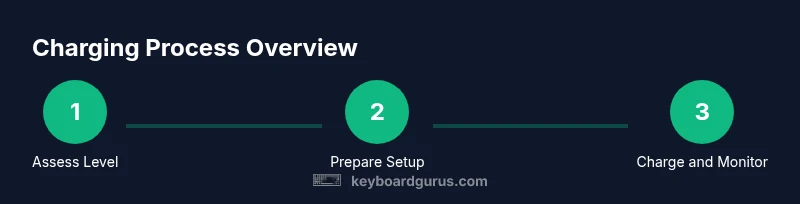
- 1
Check battery level and usage needs
Inspect the current battery indicator and review your upcoming tasks. If you anticipate a long period of use, plan a charging session beforehand. This helps prevent sudden power loss during critical work.
Tip: Use the device’s health indicators to decide whether a top-up is warranted. - 2
Identify the correct charging setup
Locate the correct charging port and prepare the appropriate cable and charger. Ensure the charger is certified and not likely to overheat the device.
Tip: Avoid using old or damaged cables that can cause short charging cycles. - 3
Connect and verify initial charge
Plug the keyboard in and monitor the indicator for changes. If your device has a software indicator, confirm a charging state is active.
Tip: If the device heats up unusually, disconnect and reassess the setup. - 4
Set a practical top-up routine
Schedule regular top-ups before sessions that demand high performance. Avoid deep discharges when possible and use smart charging if your model supports it.
Tip: Pair charging with a routine, like after lunch or end of workday. - 5
Avoid overnight charging for older cells
If you’re using an older battery design, avoid leaving it charging for long periods unattended. Switch to a shorter top-up session if needed.
Tip: Unplug if you detect persistent warmth or if the indicator shows abnormal patterns. - 6
Calibrate and verify periodically
Run a quick health check if your keyboard supports calibration. Update firmware to ensure charging is optimized.
Tip: Keep a short log of charging cycles for personal reference. - 7
Document and review
Record your routine and any deviations; this helps you refine future charging plans and track signs of aging.
Tip: Review indicators after firmware updates as they may influence charging behavior. - 8
End-to-end check before critical use
Before重要 tasks or events, verify battery status one last time. Ensure you have a backup plan in case of unexpected drain.
Tip: Keep a backup charger in your bag for travel.
Got Questions?
How often should I charge my wireless keyboard?
Charge when the indicator signals a low level or before you start long sessions. Avoid letting the battery fully discharge on a regular basis to preserve longevity.
Charge when the indicator shows a low level or before long use. Avoid frequent full discharges for longevity.
Is it safe to leave my keyboard on the charger overnight?
Many modern keyboards support smart charging and will taper the current automatically. If your device lacks this feature, limit overnight charging to avoid heat buildup.
Smart charging helps, but if yours doesn’t support it, avoid long overnight sessions to prevent overheating.
What should I look for in charging indicators?
Look for clear state signals from LEDs or apps that confirm charging is active and when the battery is full. If signals become inconsistent, check for firmware updates or contact support.
Use the built-in LEDs or apps to confirm charging and fullness; update firmware if signals seem off.
What if my keyboard uses AA or AAA batteries?
Follow the manufacturer’s guidance for battery type and replacement. Use fresh, high-quality cells and avoid mixing old and new batteries in the same device.
Use recommended battery type and fresh cells; avoid mixing old and new batteries.
Does charging too often shorten battery life?
Frequent top-ups are generally fine with smart charging systems. The risk comes from heat and aggressive charging cycles, so rely on the device’s indicators and firmware for guidance.
Regular top-ups are okay when charging systems are smart; avoid heat and overly aggressive cycles.
Should I use the original charger?
Using the original or certified charger helps ensure safe, stable power delivery and protects the battery. Avoid third-party chargers of questionable quality.
Use the official or certified charger for safety and stability.
Watch Video
What to Remember
- Know your keyboard’s charging signals and use official indicators.
- Prefer certified chargers and cables to protect battery health.
- Schedule top-ups around high-use periods to avoid power loss.
- Update firmware to benefit from smarter charging algorithms.