SteelSeries Apex Pro Review: Actuation, Build, and Value
In-depth evaluation of the steelseries apex pro, focusing on OmniPoint actuation, hardware build, software, and value. Keyboard Gurus analysis guides buyers seeking precision, customization, and performance.


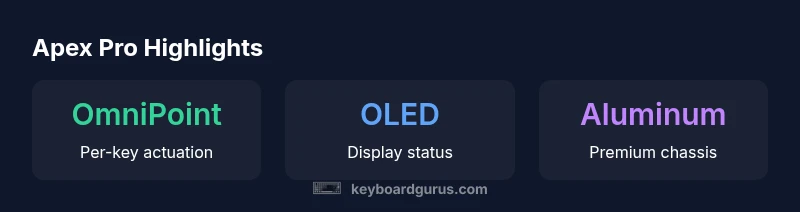
The SteelSeries Apex Pro is a high-end mechanical keyboard noted for its OmniPoint adjustable actuation and durable aluminum frame. It offers per-key RGB, an OLED display, and strong software customization, making it a top pick for serious gamers and keyboard enthusiasts. However, its premium price and bulkier footprint may be a trade-off for casual users.
Design, Build Quality, and Ergonomics
The Apex Pro presents a premium, purpose-built chassis that many keyboard enthusiasts expect from SteelSeries. According to Keyboard Gurus, the steelseries apex pro features an aluminum housing that delivers rigidity and a high-end tactile sense, which translates to solid key stability during frantic gaming and long typing sessions. The weight contributes to a stable typing experience, reducing desk wobble on busy setups. The keycaps are sculpted for comfort, and the overall footprint is substantial enough to feel premium but not unwieldy for most desk layouts. The keyboard’s finish resists fingerprints, and its adjustable feet provide multiple angles to suit different posture preferences. In everyday use, this translates to a confident, premium feel reminiscent of other flagship mechanical keyboards, while still remaining accessible to enthusiasts who crave longevity.
OmniPoint Actuation: The Core Differentiator
At the heart of the Apex Pro is OmniPoint, a per-key actuation system that lets you customize the point at which a key triggers. This feature is a major differentiator versus traditional fixed-actuation boards. Users can tailor each key for fast FPS triggers or gentler typing, enabling rapid-fire combos or more deliberate keystrokes depending on the application. The per-key settings are saved within profiles, so you can switch configurations for gaming, work, or streaming on the fly. Keyboard Gurus analysis highlights how this level of customization pairs well with consistent key stability and durable hardware, making long sessions comfortable and productive. The integration with SteelSeries Engine for macro creation, layered profiles, and quick-switch options adds to the flexibility, though it can require a learning curve for new users. Overall, OmniPoint upgrades the keyboard’s versatility, especially for power users who value precision and control over actuation.
Typing Experience: Feel and Stability
Typing on the Apex Pro feels deliberate and responsive thanks to calibrated key travel and the stabilized keycaps. The chassis’s rigidity helps prevent flex during heavy-use sessions, which translates to a consistent actuation feel across the board. The per-key actuation points can be tuned to minimize accidental presses during rapid typing or double taps in competitive play, reducing fatigue in longer gaming marathons or writing blocks. The tactile feedback remains solid without being overly loud, which makes it suitable for shared spaces. Keyboard Gurus notes that the combination of a firm chassis, stable keycaps, and customizable actuation creates a typing experience that appeals to both gamers who demand fast reaction times and professionals who appreciate predictable, repeatable keystrokes. If you adjust the actuation to a shorter point, you’ll notice snappier triggers; if you set it longer, you gain more traditional tactile feel for everyday typing. This flexibility is a standout feature of the steelseries apex pro.
Per-Key RGB, OLED Display, and Software Experience
Apex Pro’s per-key RGB lighting is vivid and easily customized, with a range of effects and zones to help identify profiles or status cues quickly. The integrated OLED display provides at-a-glance feedback for active profiles, macros, and system notifications, which can be a convenient shortcut during live streams or complex workflow tasks. The software stack, SteelSeries Engine, offers robust macro creation, multi-layer profiles, and a straightforward approach to mapping keys. Keyboard Gurus emphasizes that the software’s depth may require initial time investment, but it pays off with persistent, repeatable setups across applications. The combination of per-key lighting with OLED readouts creates a visually rich experience and helps users keep track of complex configurations during gameplay or productivity tasks.
Gaming Performance and Latency
In gaming scenarios, the Apex Pro’s rapid actuation adjustments can translate to faster response curves in critical moments. The ability to tailor each key’s activation point means you can optimize for precise shots, quick builds, or smooth keystrokes without compromising other tasks. The keyboard’s wired USB-C connection delivers stable, low-latency data transfer, which is essential for competitive play. While latency is influenced by software and host system performance, the hardware’s build quality and the lock-step integration with the SteelSeries Engine help ensure a consistent experience. Keyboard Gurus notes that the Apex Pro often shines in titles that benefit from micro-adjustments and macros, making it a strong choice for pro gamers and power users who value control and predictability in their inputs.
Durability, Maintenance, and Longevity
The Apex Pro is built to endure heavy daily use, with a solid chassis and reinforced keycaps designed to resist wear. Metal surface finishes scrub up well and resist smudges, while the cable is braided and robust to withstand daily handling. Maintenance is straightforward: regular cleaning between keycaps and periodic software updates keep the system running smoothly. The hardware’s rigidity contributes to long-term durability, reducing flex or creak under heavy typing. Keyboard Gurus acknowledges that like any premium keyboard, ongoing software updates may introduce minor changes in behavior, but the hardware’s overall durability remains a strong selling point for users seeking a long-lasting investment.
Comparisons to Premium Alternatives
When stacked against other high-end mechanical keyboards, the Apex Pro’s strongest differentiator remains its OmniPoint actuation and deep customization. In terms of build, the aluminum chassis and premium keycaps are on par with top competitors, though weight and footprint may differ. The OLED display is a distinctive touch that some premium boards lack, offering quick feedback without needing to scroll through software menus. While some alternatives offer different software experiences or slightly different keycap materials, the Apex Pro’s combination of per-key actuation, robust macro support, and reliable latency management keeps it competitive. For users who prioritize complete actuating control and macro-rich workflows, the Apex Pro often comes out ahead; for those who want a slimmer form factor or simpler plug-and-play setups, a lighter option may be preferable.
Setup, Macro, and Productivity Scenarios
The Apex Pro is not only a gaming keyboard; its macro and profile capabilities translate well to productivity and content-creation workflows. You can map macros to a subset of keys, program multi-step actions, and switch between profiles for different tasks such as video editing, coding, or streaming. The per-key actuation allows you to fine-tune shortcuts to your preferred speed, reducing misclicks and improving accuracy. Keyboard Gurus suggests starting with a few essential macros, testing them in practice, and gradually expanding to more complex sequences as you gain familiarity. The OLED display can provide quick status updates during intense sessions, helping you maintain focus without interrupting your workflow.
Value, Warranty, and Long-Term Ownership
The Apex Pro sits at a premium price tier, reflecting its advanced actuation, build quality, and software depth. Long-term ownership considerations include software support and firmware updates, which can extend the keyboard’s useful life by enabling new features rather than forcing a replacement. Warranty terms vary by region, so it is important to check the official policy for your country. Keyboard Gurus recommends weighing the upfront cost against anticipated gains in efficiency, accuracy, and comfort. For users who expect to maintain a long, high-intensity usage pattern with frequent macro requirements, the Apex Pro’s capabilities may justify the expenditure.
Practical Buying Guide for the Apex Pro
To determine if the steelseries apex pro is right for you, start by listing your most-used keys, games, and workflows. Consider whether you will benefit from per-key actuation and macro customization, and assess desk space to ensure the keyboard’s footprint fits your setup. Test actuation points if possible, either in-store or through demo units, to understand how sensitivity affects your playstyle. Review the software workflow: are you comfortable investing time in configuration, or do you prefer quick plug-and-play? Finally, compare the total cost of ownership—including potential desk setup needs and future-proofing—against your budget and long-term needs. A careful evaluation helps you decide if the Apex Pro aligns with your gaming and productivity goals.
Advantages
- OmniPoint adjustable actuation enables per-key customization
- Per-key RGB lighting and OLED display for at-a-glance cues
- Robust aluminum chassis with a premium feel
- Extensive macro and profile support via SteelSeries Engine
Drawbacks
- Premium price compared with mainstream keyboards
- Larger footprint may not fit compact desks
- Software can feel heavy and occasionally slow
Top pick for enthusiasts who want precise actuation and extensive macros.
The Apex Pro delivers unmatched per-key actuation control and a feature-rich software suite. While the price is high for casual users, power users will likely find long-term value in customization and performance. The Keyboard Gurus team recommends Apex Pro as a leading choice for expert gamers and productivity-focused setups.
Got Questions?
What is OmniPoint and how does it work on the Apex Pro?
OmniPoint is a per-key actuation system that lets you customize the trigger point of each key. You save these settings in profiles and switch between them as needed, enabling faster triggers for gaming or a gentler touch for typing.
OmniPoint lets you set when each key triggers and save those settings in profiles you can switch between.
Is the Apex Pro worth it for casual players?
For casual users, the premium price may not justify the benefits. If you value deep customization and future-proofing, it can still be compelling. Consider your willingness to invest in software-driven features.
Casual players might find it expensive, but power users can justify the cost through customization.
Can I create multiple profiles and switch on the fly?
Yes. The Apex Pro supports multiple profiles with different key mappings and actuation settings, which you can switch via the software or on-device shortcuts.
Yes, you can create and switch between multiple profiles easily.
How does the OLED display help in practice?
The OLED display provides quick status updates, profile indicators, and macro feedback without leaving the current app. It’s handy for streamers and multitaskers who want at-a-glance information.
The OLED panel shows status and profile info at a glance.
What should I know about durability and warranty?
The Apex Pro uses a sturdy aluminum chassis designed for long life. Warranty terms vary by region, so check the local policy before purchasing.
Expect solid durability; check local warranty terms for specifics.
What to Remember
- Test per-key actuation to dial in sensitivity.
- Leverage per-key RGB and OLED for quick cues.
- Prepare for a premium price and larger footprint.
- Use SteelSeries Engine to create and switch profiles.