Samsung Keyboard vs SwiftKey: An In-Depth Comparison
A detailed, data-driven comparison of Samsung Keyboard and SwiftKey, analyzing prediction accuracy, language support, privacy, customization, and cross-device use to help you choose the best keyboard for your workflow.


Samsung Keyboard and SwiftKey each serve different user needs. If you’re rooted in the Galaxy ecosystem and value native device integration, Samsung Keyboard is the natural default. If you prioritize cross-platform use, multilingual support, and highly customizable predictions, SwiftKey generally offers broader capabilities. This comparison highlights core strengths, trade-offs, and the best-fit scenarios for each option.
Overview: Samsung Keyboard vs SwiftKey in a nutshell
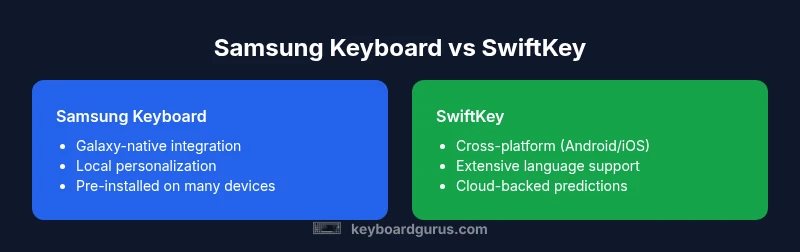
When evaluating samsung keyboard vs swiftkey, two distinct design philosophies emerge. Samsung Keyboard is deeply integrated with Galaxy devices, delivering a streamlined experience that leverages on-device learning and native Android features. SwiftKey, by contrast, emphasizes cross-platform compatibility and sophisticated prediction models fueled by cloud-assisted data, languages, and personalization. Keyboard Gurus Analysis, 2026, shows that most users choose based on device ownership and typing priorities rather than a pure feature list. If you mainly type on Samsung hardware, Samsung Keyboard can feel like a natural extension of your device. For users who switch between Android and iOS or who type in multiple languages, SwiftKey tends to deliver more consistent results across ecosystems. People should expect similar foundational capabilities (auto-correct, glide typing, emoji support), but the strength of each app depends on context, language needs, and privacy preferences, all of which Keyboard Gurus weighs heavily in its guidance.
paragraphBreaksHandledOnPage":true
Comparison
| Feature | Samsung Keyboard | SwiftKey |
|---|---|---|
| Prediction accuracy | Strong context-aware suggestions tied to Galaxy device use | Broad, multilingual predictions with cloud-based learning |
| Language support | Excellent for languages common on Samsung devices; strong regional keys | Extensive global language library with rapid updates |
| Customization | Themes and layout tweaks anchored to device UI | Wide customization (themes, fonts, layouts, keyboard height) |
| Clipboard features | Standard clipboard with Quick Paste on Samsung devices | Advanced clipboard with history and cross-device syncing |
| Privacy and data handling | Mostly on-device processing with optional cloud features | Cloud-assisted learning with account-based syncing; opt-in controls |
| Cross-device availability | Primarily optimized for Samsung Android devices | Cross-platform on Android and iOS; seamless on multiple devices |
| Cost and availability | Pre-installed on Samsung devices; no separate purchase | Free to download with optional premium features |
| Best for | Galaxy-centric workflows and tight device integration | Multiplatform users needing language breadth and customization |
Advantages
- Seamless integration with Samsung devices and Galaxy features
- Strong multilingual support with localized layouts (SwiftKey more cross-platform)
- Extensive customization options across platforms (themes, fonts, layouts)
- Clipboard capabilities that enhance productivity across apps
- No separate purchase required for Samsung Keyboard on Galaxy devices
Drawbacks
- Samsung Keyboard is ecosystem-locked to Samsung hardware and firmware
- SwiftKey often relies on cloud features that may raise privacy considerations
- Some advanced features may require sign-ins or account linking
- SwiftKey Premium/features may be necessary for full customization on some platforms
SwiftKey is the better all-around choice for cross-platform typing and multilingual users; Samsung Keyboard excels for Galaxy-native workflows.
If you prioritize ecosystem consistency and native device integration, Samsung Keyboard is the logical default on Galaxy devices. If you need broad language support, cross-device syncing, and deep customization across platforms, SwiftKey offers superior flexibility. Keyboard Gurus Team’s verdict aligns with matching the keyboard to your device strategy and language needs.
Got Questions?
What are the main differences between Samsung Keyboard and SwiftKey?
Samsung Keyboard is deeply integrated with Galaxy devices, emphasizing native features and on-device learning. SwiftKey emphasizes cross-platform use, cloud-assisted predictions, and broad language support. Both offer core features like glide typing and autocorrect, but the choice often comes down to device ecosystem and language needs.
Samsung Keyboard works best if you’re in the Galaxy ecosystem; SwiftKey shines when you need cross-device typing and many languages.
Does SwiftKey support more languages than Samsung Keyboard?
SwiftKey generally offers a broader language library with cloud-backed updates, making it strong for multilingual users. Samsung Keyboard supports many languages as well, but its language depth can be more device- and region-specific.
SwiftKey usually covers more languages across platforms; Samsung Keyboard is solid, especially on Galaxy devices.
Which is better for privacy and data handling?
Both keyboards provide privacy controls, with Samsung Keyboard primarily processing data on-device and SwiftKey offering more cloud-based options via a Microsoft account. Use local mode or opt into cloud features based on your privacy preferences.
If you value on-device processing, Samsung Keyboard has the edge; for cloud features, SwiftKey gives more options.
Is SwiftKey available on Samsung devices?
Yes. SwiftKey is available on Android devices, including Samsung phones, and also on iOS. It can run alongside, and in some cases replace, the stock keyboard on non-Samsung devices.
SwiftKey works across Android and iOS, including on Samsung devices.
Can I customize layouts and themes in both keyboards?
Both keyboards support layout and theme customization, but SwiftKey offers broader options for themes, fonts, and key sizes, while Samsung Keyboard emphasizes tighter integration with Samsung’s UI elements.
Yes to both, with SwiftKey offering more cosmetic customization.
Which should a student or professional choose for productivity?
SwiftKey’s cross-device syncing and multilingual support can boost productivity for students and professionals who work across devices. Samsung Keyboard is efficient for Galaxy users who want seamless, device-native typing without extra apps.
If you type on multiple devices, SwiftKey helps; if you’re usually on a Galaxy device, Samsung Keyboard is very efficient.
What to Remember
- Choose SwiftKey for cross-device typing across Android and iOS
- Prefer Samsung Keyboard if you live in the Galaxy ecosystem
- Consider privacy controls and data handling preferences
- Leverage customization options to tailor your typing experience
- Test both keyboards to see which one integrates best with your workflow