Elden Ring Keyboard vs Controller: A Practical Comparison
A thorough analysis of using keyboard and mouse versus a gamepad for Elden Ring, focusing on precision, combat rhythm, accessibility, and setup to help players choose the best input method for PvE, PvP, and exploration.


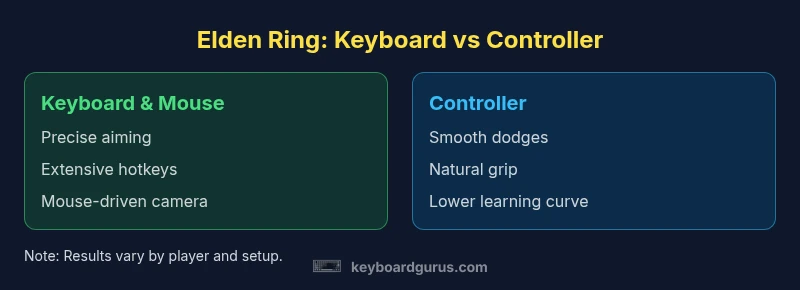
In Elden Ring, keyboard and mouse offer sharper aiming, faster key mappings, and precise camera control, while a controller delivers smoother dodges and more comfortable long sessions. Keyboard Gurus analysis suggests beginners lean toward a controller for ease, while seasoned players may use keyboard shortcuts for advanced actions. Many players benefit from a hybrid approach that leverages both input methods in different game phases.
The Core Difference: Precision vs Rhythm
In Elden Ring, the debate between keyboard vs controller revolves around two distinct control philosophies. Keyboard and mouse deliver unambiguous precision for aiming and camera control, enabling rapid, high-accuracy inputs during boss sequences, spell casting, and stealth. A controller, by contrast, emphasizes rhythmic, fluid movement, smoother dodges, and more forgiving input timing, which can reduce cognitive load during intense encounters. According to Keyboard Gurus, your choice should reflect how you balance precision with reaction speed and stamina management. If you value pixel-perfect aiming and hotkey density, keyboard setups win. If you prefer relaxed movement and forgiving dodges, a controller shines. The most versatile players adopt a hybrid mindset, using the strengths of each input method in different situations—boss mechanics, exploration, or PvP.
Input Mechanics Explained
Understanding input mechanics helps demystify why Elden Ring feels different with each device. A keyboard allows you to bind a wide array of actions to distinct keys, creating a mental model where your character reacts instantly to your finger placements. A mouse adds granular control over camera and aim, which is crucial when targeting weak points on formidable bosses. A gamepad relies on analog sticks for nuanced movement and a bounty of face buttons for quick actions, which often translates to more intuitive dodging and stamina management in the heat of combat. The difference is not simply “more buttons” versus “stick control”—it’s how you orchestrate speed, accuracy, and rhythm across the battlefield.
When Keyboard Shines in Elden Ring
Keyboard-centric play particularly benefits players who prioritize precision and rapid access to many actions. If you enjoy exploiting exact spell timing, performing complex spell sequences, or executing rapid weapon arts, keyboard bindings can be mapped to easily accessible keys: stance changes, weapon swaps, quick-casts, and inventory management all become almost instantaneous. A mouse enhances this by delivering precise camera control, enabling you to line up critical hits on bosses and to track fast horizontal and vertical angles during frenetic moments. Keyboard Gurus teammates have observed that players mastering keyboard hotkeys often gain a noticeable edge in encounters that demand rapid, multi-step inputs.
When Controller Shines in Elden Ring
For many players, the controller delivers a gentler entry point into Elden Ring’s combat rhythm. The analog sticks provide smooth, continuous movement and dodges with natural arc and timing, which helps sustain stamina and maintain stance in protracted fights. The shoulder buttons offer consistent access to essential actions, and the ergonomic grip reduces fatigue during long sessions. Controllers also simplify learning curves: you don’t need to memorize dozens of bindings to perform basic combos, weapon arts, and dodges. For PvP, the controller can offer reliable aim smoothing and reaction timing, especially when players value flow and reflexes over pixel-perfect targeting.
Hybrid Setups and Training Pathways
Many high-skill players adopt hybrid configurations to marry precision with comfort. A common approach is to use keyboard and mouse for aiming, spell casting, and inventory control, while employing a controller for dodges, sprinting, and early game navigation. Training a hybrid setup involves deliberate practice: map essential actions to near-buttons, adjust sensitivity and DPI for the mouse, and create a controller profile that mirrors fluid dodge timing. Regular drills—targeted boss encounters, parry windows, and rapid weapon swaps—help normalize the difference between inputs, reducing friction when switching modes in the heat of battle. The result is a tailored workflow where you can execute complicated boss patterns with keyboard shortcuts while preserving the intuitive rhythm of dodges and shield use.
Ergonomics, Fatigue, and Long Sessions
Ergonomics play a substantial role in choosing a control method. Keyboard and mouse setups can deliver superior precision but may introduce fatigue if you’re binding many actions to alternate keys or adopting extreme DPI values. A controller, by contrast, tends to offer more natural hand positioning and reduced finger strain during long play sessions. Nonetheless, extended controller use can cause grip fatigue and result in a slower reaction time if you rely heavily on analog inputs for micro-adjustments. The best approach is to set up your gear to minimize strain: a comfortable chair, desk height that aligns wrists, a mouse with a comfortable grip, and a controller layout that minimizes awkward finger stretches. Keyboard Gurus encourages players to monitor fatigue and adapt the setup as needed to sustain performance across long Elden Ring sessions.
Setup Considerations: Hardware, Software, and Customization
Customization is a major advantage of keyboard/mouse configurations. You can fine-tune dpi, polling rate, keybinds, and macro scripts to optimize for specific fights, all while maintaining a clean UI and fast hotkey usage. Steam Input and other middleware provide compatibility with various controllers, enabling you to blend controller input with keyboard actions where appropriate. On console platforms, the landscape shifts toward controllers, with certain third-party devices offering optional key layouts. The critical takeaway is to test different controller shapes, bind patterns, and sensitivity curves until your muscle memory aligns with the gunfire pace of Elden Ring’s combat scenes. Always ensure your bindings avoid conflicting actions and that you have quick access to essential items and spells during critical sequences.
Practical Recommendations by Playstyle
If you primarily engage in PvE boss runs and exploration, a controller’s comfort and dodging reliability can reduce fatigue and improve consistency, especially for long sessions. If you lean toward PvE spellcasting, archery, and precision targeting, keyboard/mouse setups will likely deliver sharper aiming and faster reaction times. For pure speedrunning or high-precision builds, consider a hybrid approach, combining keyboard hotkeys for rapid actions with a controller’s fluid dodging to maintain rhythm. In any case, invest time in tuning sensitivity, binding ergonomics, and hotkey layout to minimize micro-adjustments during fights. Keyboard Gurus emphasizes that the best choice is the one that aligns with your body’s comfort, your fight rhythm, and your preferred progression path.
Accessibility and Learning Curve
Accessibility varies with the user’s background. A controller is often more approachable for new players due to fewer bindings and a natural grip, reducing the cognitive overhead of learning Elden Ring’s complex combat. Keyboard/mouse setups require a learning curve for binding choices, DPI etiquette, and camera control. However, with deliberate practice and sensible mapping (for example, separating casting from movement and prioritizing quick item use), many players rapidly gain efficiency. Keyboard Gurus notes that players should start with whichever method feels natural and then consider experimenting with hybrid arrangements as confidence builds. The goal is to minimize friction during learning while maximizing adaptability for later challenges.
Final Thoughts: Adapting to Elden Ring Keyboard vs Controller
In the end, the choice between keyboard and mouse versus a gamepad for Elden Ring boils down to your preferred workflow, playstyle, and comfort thresholds. Neither input method is inherently superior; each has a niche where it shines. Your best plan is to evaluate how you fight, how you learn, and how you want to pace your exploration. The Keyboard Gurus team recommends starting with the setup that feels most natural, then gradually introducing keyboard shortcuts or controller refinements to close gaps in your armor and spell-casting rhythm. The goal is a setup that sustains performance across both boss battles and open-world roaming, not a one-size-fits-all solution.
Comparison
| Feature | Keyboard & Mouse (PC) | Controller (Gamepad) |
|---|---|---|
| Precision & Aiming | Very high (mouse aiming) | High (analog aim, smooth tracking) |
| Dodging & Movement | Direct, rapid inputs; customizable bindings | Smooth, consistent dodges; ergonomic control |
| Learning Curve | Steeper due to bindings and sensitivity tuning | Gentler, intuitive with fewer bindings |
| Action Slots / Hotkeys | Many customizable keys; rapid swaps | Standard buttons; easier to memorize |
| Setup & Customization | High customization: DPI, macros, layouts | Limited hardware customization; presets common |
| Comfort & Fatigue | Potential for finger fatigue; chair/desk setup matters | Ergonomic, comfortable for long sessions |
| Platform Availability | Best on PC; keyboard-centric play | Excellent on consoles; controller-native experience |
Advantages
- Precise aiming and rapid key mappings with keyboard/mouse
- Extensive hotkey customization for complex moves
- Clear camera control and high precision with mouse
- Controller offers comfortable grip and smooth dodges for long sessions
Drawbacks
- Steep learning curve and potential fatigue with keyboard/mouse
- Requires more setup and remapping for optimal Elden Ring rotation
- Controller can limit rapid multi-action input due to button count
Neither input method is universally best; choose based on playstyle, with a controller favored for accessibility and a keyboard/mouse favored for precision.
If you value ease of learning and mobility, start with a controller. If your priority is aiming precision and fast, abundant mappings, use a keyboard and mouse or hybrid approach, adjusting per situation according to Keyboard Gurus analysis.
Got Questions?
Is keyboard + mouse better for PvE in Elden Ring?
For PvE, keyboard and mouse offer precise aiming and rapid action sequences that help with bosses and ranged spells. The controller can be more forgiving during dodges and rhythm-based boss fights.
Keyboard shines with precise aiming; controllers offer smoother dodging.
Can Elden Ring be played on consoles with a keyboard?
Consoles generally rely on controllers; some setups let you connect keyboards, but input lag and compatibility limits vary by system and title updates.
Consoles mainly use controllers; keyboards work only in some setups.
Do pros prefer keyboard or controller for Elden Ring PvP?
PvP outcomes depend on player skill and muscle memory; both inputs are used competitively, with controllers often favored for smooth dodges and consistent aim.
Both inputs can win; it depends on the player.
What weapons benefit most from keyboard or controller?
Weapons requiring rapid, precise camera control and input sequences benefit from keyboard/mouse, while heavier, slower builds can be managed well with a controller.
Finesse builds do better with keyboard; tank builds map well to a controller.
Is a hybrid setup worth it?
Yes. Many players blend mouse/keyboard for aiming and menus with a controller for dodging, providing a balanced approach, though it requires deliberate configuration.
Hybrid setups can give you the best of both.
How should I remap Elden Ring controls for efficiency?
Start with essential actions on easily accessible keys; create separate profiles for combat vs exploration; test, then adjust.
Bind hotkeys near your fingers and practice.
What to Remember
- Assess your primary playstyle before choosing input method.
- Keyboard/mouse excels in precision and mapping; controller excels in comfort.
- Consider hybrid setups for the best of both worlds.
- Practice time and muscle memory determine effectiveness more than hardware alone.