Is Keyboard or Controller Better for Elden Ring? A Comprehensive Guide
An analytical comparison of keyboard vs controller input for Elden Ring, covering combat feel, movement, accessibility, setup tips, and platform considerations to help players decide their optimal control method.


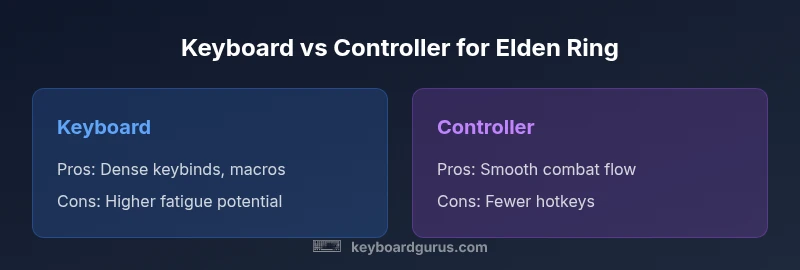
For Elden Ring on PC or console, a controller generally offers smoother combat inputs and dodge timing, while a keyboard enables rapid hotkey access and spell macros. If you value consistent movement and intuitive combat flow, choose a controller; if you rely on frequent spellcasting and complex keybinds, a keyboard can give you distinct advantages. The best choice depends on your playstyle, platform, and accessibility needs.
Why input method matters in Elden Ring
The moment you load into Limgrave, your input method determines how fluid or twitchy encounters feel. Elden Ring rewards precise timing, reliable dodges, and the ability to switch actions on the fly. For many players, the decision between keyboard and controller comes down to (a) how you distribute actions across inputs, (b) your comfort with long play sessions, and (c) your willingness to customize bindings. According to Keyboard Gurus, the interaction between hardware input, game mapping, and personal ergonomics is the hidden lever that governs performance over long sessions. The combination of reliable responsiveness and comfortable reach often decides whether you finish a tough boss with fewer misinputs or stumble due to cramped keys.
From a practical standpoint, you should evaluate your typical action load: do you frequently cast sorceries, pyro, or miracles with many modifiers, or do you rely on melee timing, dodges, and parries? Each playstyle benefits from a slightly different input philosophy. In Elden Ring, the fastest path to mastery is choosing an input method that minimizes cognitive load during high-pressure moments, freeing your brain to focus on enemy tells and positioning. Keyboard Gurus analysis shows that the most successful players map action-heavy builds to intuitive hotspots, reducing cross-presses and accidental spills of stamina.
Besides raw speed, consider platform constraints. Controllers rarely require external configuration after initial pairing, while keyboards may demand bespoke keybind schemes, macro support, and sometimes utility software. This is especially true for PC players using Windows, where keyboard presets can collide with system hotkeys if not remapped. The Keyboard Gurus team emphasizes testing both setups in a controlled training run—practice dodges, sprinting, and critical spell casts in a safe arena to compare latency, fatigue, and error rates over a 20-30 minute session.
wordCount_for_body1: null} ,
Keyboard advantages: speed, macros, and setup
Keyboards unlock a density of hotkeys that can compress actions into a tiny physical space. For spellcasters and hybrid builds, the ability to bind multiple spells and items to easily reached keys enables rapid cycling without lifting your hand from the movement cluster. With a well-chosen layout, you can chain inputs with fewer finger movements and leverage modifier keys to access secondary actions. Keyboard Gurus analysis shows that players who rely on complex spell rotations often report noticeable time gains when using a keyboard with dedicated macro keys or layered bindings. In practice, a high-quality mechanical keyboard with reliable key switches reduces mispresses during frantic combat.
Consider layout strategies that reduce cognitive load. Common approaches include:
- Grouping related actions (movement, dodges, shield, weapon arts) within a single quadrant of the keyboard.
- Mapping spells and items to distinct, easy-to-hit keys rather than layered modifiers.
- Customizing a few “macro-like” combos for heavy-cast windows, while keeping core actions simple.
Biomechanics matter too. Prolonged keyboard sessions can strain the wrist or forearm if your wrists aren’t elevated or if key travel is excessive. Keyboard Gurus recommend a split or ergonomic layout for long grind sessions and ensuring a comfortable chair height. If you’re playing at a high pace, the tactile feedback of mechanical switches can enhance accuracy, making rapid inputs feel more deliberate rather than accidental.
wordCount_for_body2: null} ,
Controller advantages: flow, timing, and accessibility
Controllers excel in delivering a natural rhythm to Elden Ring combat. The analog sticks provide variable movement speed, allowing smoother approach angles, better zoning against bosses, and more intuitive camera control without needing to micro-adjust keys. The shoulder buttons and triggers offer quick access to core actions, while the face buttons can be mapped to essential items or weapon arts. Controllers reduce wrist and finger strain for many players during marathon sessions, thanks to a more relaxed hand position and the ability to rest the hands on a stable grip.
From a timing perspective, the controller’s analog input helps with precise dodges and more fluid sprinting, especially on longer boss fights where micro-positioning matters. The D-pad or extra buttons can host critical quick-access items when a hybrid approach is used. For players with accessibility needs, controllers can feel more forgiving when reincorporating movement and actions after a lull in combat. Keyboard Gurus notes that the tactile feel of a controller trigger can improve the consistency of parries and dodges for some players, reducing the cognitive load during reaction-based moments.
wordCount_for_body3: null} ,
Practical setup: keybinds, remapping, and accessibility features
A practical Elden Ring setup often means more than just choosing a device—it requires thoughtful remapping and accessibility planning. If you opt for a keyboard, consider:
- Decluttering the main layout by assigning primary actions to easily reachable keys (WASD cluster plus a handful of nearby keys).
- Using layers or function keys to access secondary actions without overloading any single finger.
- Leveraging software to create macro-friendly bindings while avoiding conflicts with system hotkeys.
For controller users:
- Program a few core actions to the shoulder buttons for quick access during dodge-heavy sequences.
- Use the analog-stick dead zones settings to ensure precise turning without over-correcting mid-combat.
- Consider a premium controller with careful haptic feedback if you want more tactile confirmation of inputs.
In both setups, test in safe practice scenarios to tune sensitivity, button placement, and reach. Keyboard Gurus advocate a “practice-first” mindset: spend 15-20 minutes on a dummy boss to gauge fatigue, accuracy, and the perceived latency of inputs. This helps you avoid performance bottlenecks caused by suboptimal layouts.
wordCount_for_body4: null} ,
Combat pacing and movement: input shaping dodges, parries, and cast times
Elden Ring’s combat pacing is a blend of timing, positioning, and resource management. The input method you choose changes how naturally you can chain moves and dodge frames. A keyboard offers dense spellcasting potential and rapid item use once you’ve memorized binding permutations, which can speed up cooldown management and rotation without interrupting movement. However, some players report that rapid, repeated inputs can cause “double-tap” mistakes if the keyboard isn’t perfectly tuned for latency and debounced keypresses.
Controllers provide steady tempo in the heat of a battle. A smooth dodge cadence, camera tracking, and weapon art activation often feel more reliable when inputs are spread across a few physical buttons rather than many keys. The built-in rumble or haptic feedback can also help you sense timing cues without staring at HP bars. The Keyboard Gurus team notes that the best players learn to sequence actions in a way that plays to their input strengths—either the chunky, predictable cadence of a controller or the precise, layered binding of a keyboard.
wordCount_for_body5: null} ,
Edge cases and accessibility considerations
Not all players have the same preferences or physical capabilities. Some players benefit from a controller due to mobility limitations that make two-handed keyboard use uncomfortable. Others require high-speed macro capabilities or screen-reading setups that keyboards can better accommodate. Accessibility features, such as remappable keys, high-contrast UI, and adjustable text sizes, influence comfort and performance across input methods. Keyboard Gurus emphasize testing accessibility options in-game menus, including motion sickness settings, UI scaling, and subtitle readability, before committing to a single device. If you have a chronic condition that affects hand movement, explore adaptive bindings or third-party accessories designed to reduce fatigue.
Platform considerations matter here too. Console players have inherent controller support, while PC players gain access to a wider range of keyboard and mouse configurations. Both platforms benefit from a standardized test run to compare accuracy, stamina, and perceived latency across sessions. The aim is to minimize the cognitive overhead required to execute a sequence of spells, dodges, or weapon arts under duress.
wordCount_for_body6: null} ,
Hybrid approaches and how to test
Some players successfully combine inputs to leverage the strengths of both devices. A common hybrid approach assigns primary, high-frequency actions to a keyboard while relegating movement, camera control, and defensive maneuvers to a controller. This setup can reduce fatigue and provide a fallback if you need quick access to critical spells while maintaining fluid movement.
If you’re considering a hybrid approach, start with a clearly defined divider: keyboard for spells and items, controller for movement and dodges. Then run controlled tests, focusing on key metrics like input accuracy, reaction time, and the ability to sustain performance across a 20-30 minute boss sequence. Keyboard Gurus suggest documenting your bind map, noting any conflicts or hotkey collisions, and adjusting from there.
Ultimately, the choice should reflect not just raw speed but the consistency you can maintain over extended sessions. A well-balanced hybrid can deliver stability and speed without forcing you into a single rigid setup.
wordCount_for_body7: null} ,
Choosing based on playstyle and scenario
Your Elden Ring preference is a function of playstyle, not a universal rule. If you lean toward spell-centric builds with frequent rotation and macro-heavy tactics, a keyboard’s dense binding map can be a decisive advantage. If you value instinctive combat flow, dodge timing, and ergonomic comfort during long sessions, a controller is typically the better all-around option. The best recommendation often comes from testing in real matches across different situations—normal exploration, boss fights, and PvP, where input latency and precision matter differently.
Platform should also guide your decision. On PC, you have the luxury of experimenting with keyboard layouts, various mice, and third-party software. On console, the built-in controller experience is usually smoother and more accessible, with fewer setup hurdles. Keyboard Gurus reinforce the idea that you should choose the method that minimizes cognitive load, preserves stamina, and maximizes consistent input across the most challenging sections of the game.
wordCount_for_body8: null} ,
How to test and finalize your setup
Before locking in your final choice, perform a structured trial. Spend a few sessions with your preferred device in a controlled environment: set up a training area, adjust sensitivity to a comfortable range, and execute a sequence of moves, dodges, and spell rotations. Compare your results using a simple rubric: accuracy, reaction time, comfort, and fatigue over time. If you detect cramping or reduced precision after 20-30 minutes, revisit ergonomics or consider a hybrid approach.
For additional validation, simulate a boss encounter with a fixed loadout to gauge your ability to adapt to boss timings, environmental hazards, and changes in camera perspective. If possible, involve a friend or community member who can provide an external assessment of your performance with both input methods. The goal is to reach a point where your input method becomes a facilitator rather than a limiter in challenging segments of Elden Ring.
wordCount_for_body9: null
Comparison
| Feature | Keyboard | Controller |
|---|---|---|
| Input latency | Typically responsive with modern keyboards; latency depends on switches and drivers | Typically low and consistent due to dedicated analog inputs and native API support |
| Movement control | 2D WASD movement, high precision with mouse aiming | Analog sticks allow smooth 3D movement with variable speed |
| Camera control | Mouse offers precise, high-speed camera adjustments | Right stick provides steady camera control with less acceleration |
| Action/skill mapping | Extensive hotkey options; quick access via layers and macros | Fewer keys but quick access via shoulder buttons and D-pad |
| Combat feel | High precision with key combinations; great for macros and spell chaining | Smooth, intuitive dodging and timing; easier on wrists during long sessions |
| Customization | Deep remapping, layers, and macro support | Simple remapping with ergonomic layouts; limited macro capability |
| Ergonomics | Potential wrist strain if not positioned well; long sessions require good setup | Generally more comfortable for long play sessions; reduced finger fatigue |
| Price/availability | Wide range of keyboards; depends on type and features | Widely available and affordable; platform-wide compatibility |
Advantages
- High customizability of keybindings and macros
- Potential for dense action mapping to reduce input overflow
- Mouse/keyboard setups can exceed console controller capabilities for spell rotations
- Hybrid approaches can optimize fatigue and speed
- Open ecosystem for peripherals and software
Drawbacks
- Keyboard setups can cause fatigue without proper ergonomics
- High learning curve for complex bindings
- Controller may feel cramped for long sessions if not adapted to your grip
- Macro usage can run into game or platform restrictions in some contexts
Controller is generally the better all-around choice for Elden Ring; keyboard excels for spell-heavy builds and advanced macro setups
If your focus is fluid combat and ease of use, a controller is usually preferred. Keyboard shines when you rely heavily on spells and rapid access to many actions; test both to confirm which improves your consistency and comfort.
Got Questions?
Is Elden Ring better played with a keyboard or a controller on PC?
Both have advantages: controllers offer smooth combat flow and easier dodging, while keyboards provide rapid spell access and customization. Your choice should align with your playstyle and comfort. Testing both in a controlled session helps confirm which method yields higher consistency.
Controllers are usually easier for combat timing, while keyboards shine for spellcasting and hotkeys.
Can I use a hybrid setup effectively in Elden Ring?
Yes. Many players assign movement and camera control to a controller and map spells or items to keyboard keys. This can reduce fatigue and leverage the strengths of both devices. Start with a clear split and adjust based on comfort and performance.
A smart split—controller for movement, keyboard for spells—often works well.
What should I consider for accessibility and comfort?
Look for remappable buttons, stable grip, and adjustable sensitivity. Ergonomic chairs, wrist rests, and trackball mice can also influence your comfort and performance over long sessions.
Make sure your setup doesn’t cause fatigue during long play sessions.
Are there platform-specific differences I should know?
Console players typically benefit from built-in controller support and fewer setup steps, while PC players have more binding options and macro capabilities. Your choice may hinge on how easy you want the setup to be.
Platform shapes how easy it is to customize and use your input method.
Do performance differences matter in PvP?
Input latency and reaction speed matter in PvP. Controllers can offer predictable timing, while keyboards can give quicker spell access for builds that rely on fast rotations. Test in practice matches to gauge real-world impact.
Latency and reaction time determine how well you perform in PvP.
How do I know when to switch methods?
If you find yourself cramping, losing accuracy, or preferring a different action flow in fights, try a trial period with the other input and compare your performance metrics.
If your current setup isn’t helping, try the other method for a few sessions.
What to Remember
- Test both input methods in a controlled boss sequence
- Prioritize ergonomics to reduce fatigue
- Use hybrid setups if you want the best of both worlds
- Map core actions to intuitive keys or buttons
- Consider platform-specific advantages and accessibility needs