Is It Okay to Play Elden Ring on Keyboard? A Practical Guide
Explore whether is it ok to play elden ring on keyboard, with setup tips, keybindings, ergonomics, and practical advice for PC players considering keyboard input.


Yes, it’s possible to play Elden Ring on a keyboard, but the experience depends on setup, bindings, and practice. Keyboard input can be viable on PC with a wired, low-latency keyboard and thoughtful remapping. Start with basic controls, then customize for combat, exploration, and boss encounters.
Is Playing Elden Ring with a Keyboard Feasible
The short answer is that yes, it is possible to play Elden Ring on a keyboard, but the experience hinges on your hardware, bindings, and how comfortable you are with keyboard-centric action RPG control schemes. For many players, keyboard input offers precise camera control and rapid access to secondary actions, which can speed up exploration and exploration-based puzzles. However, some combat sequences—especially tight boss fights—benefit from the tactile feedback and fast-launch combos that a controller typically provides. According to Keyboard Gurus, PC players who invest time into ergonomic layout and bindings often report smoother navigation and fewer missed inputs after a learning curve. If you’re curious about flexibility and learning curves, this guide helps you decide whether to commit to keyboard play and how to optimize your setup.
Keyboard vs Controller: Ergonomic Considerations
When choosing between keyboard and controller, ergonomics play a major role. A keyboard offers a flat, fixed layout that stays put, which can reduce wrist strain during long sessions but may require more finger dexterity for complex combos. A gamepad brings natural thumb sticks and shoulder triggers, which some players find more intuitive for combat. The optimal choice depends on your hand size, reflex pace, and how you map runes, dodges, and weapon swaps. Keyboard Gurus emphasizes testing both methods in a safe area before committing to one. If you’re playing long sessions, consider a split or ergonomic keyboard and a supportive mouse. These aids can help you maintain accuracy without fatigue.
Core Actions and Keybindings: Mapping the Essentials
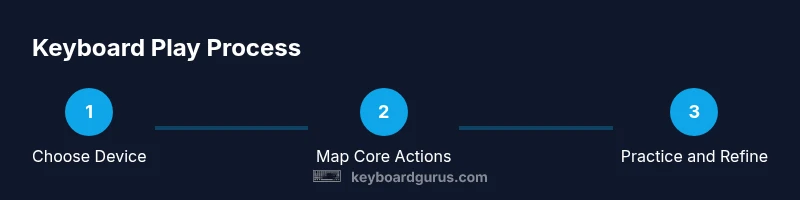
Before you dive into Elden Ring with a keyboard, map your core actions to a layout that minimizes finger travel. Movement is commonly bound to WASD, with sprint on a nearby key like Shift. Core actions—attack, parry, dodge, sprint, interact, and quest log—should be placed within easy reach of your dominant hand. For accessibility, consider binding heavy actions to keys you naturally press during combat, such as F, R, and E. Keyboard Gurus notes that good bindings reduce misinputs during frantic moments and improve reaction times. Don’t be afraid to adjust as you learn your own rhythm in combat.
Movement, Combat, and Camera: Practical Techniques
Soul-like combat in Elden Ring rewards precise timing and camera awareness. Keyboard play requires deliberate camera control, with the mouse taking primary responsibility for aiming and line-of-sight. Use bindings that allow quick re-centering of the camera and steady aim during ranged encounters. For melee, practice staggered attacks and dodge timing to avoid overextending. Many players find a hybrid approach helpful: keyboard for movement and most actions, mouse for camera and target acquisition. The key is consistency: lock in a routine that you can perform under pressure without looking down at the keyboard.
Latency, Hardware, and Setup Tips
Latency matters when you’re facing aggressive enemies and boss mechanics. A wired keyboard and reliable USB mouse reduce input jitter compared with wireless peripherals. Ensure your PC’s power plan keeps performance steady, and close background apps that could cause stutter during intense moments. Update your keyboard’s firmware and drivers, and consider enabling a high polling rate if your motherboard and BIOS support it. If you notice input delays, test on a different USB port or substitute a higher-quality USB hub-free connection. Keyboard Gurus advises that stable hardware and clean software environments are often the differentiator between a good and great keyboard play experience.
Accessibility, Comfort, and Long Sessions
Sustained gaming can strain wrists, shoulders, and eyes. Arrange your desk to keep elbows at roughly 90 degrees and wrists in a neutral position. Invest in a wrist rest and an ergonomic mouse grip, and take short breaks every 30–60 minutes to prevent fatigue. Consider custom keycaps with higher texture for tactile feedback or different colors to reduce binding errors under pressure. The aim is to maintain accuracy and speed without compromising comfort. If pain persists, switch to a controller for endurance play or seek ergonomic adjustments.
Boss Fights, PvP, and Keyboard Constraints
Elden Ring boss fights demand sharp reaction times and precise timing. Some players report that certain bosses feel more approachable with a gamepad due to smoother dodging and stagger windows, while others prefer keyboard precision for rapid spell use and item management. In PvP, input latency and binding predictability can influence your performance. Always practice in a controlled arena-like area to develop your muscle memory and evaluate whether keyboard play is sustainable for your preferred playstyle. Keyboard Gurus recognizes that personal tolerance and practice determine long-term success.
Hardware Recommendations: Keyboards, Mice, and Surfaces
Choose a keyboard with reliable key feel and decent anti-ghosting to avoid missed inputs in rapid sequences. A responsive mouse with adjustable DPI helps with camera control and target tracking. A smooth mouse pad reduces friction, enabling quick repositioning during combat. If you’re unsure about your setup, start with a widely supported mechanical layout and a mainstream mouse, then experiment with more specialized hardware after you’ve established a baseline. The goal is stability and comfort, not novelty.
Getting Started: Quick Start in 15–30 Minutes
A straightforward way to begin is to install a basic keyboard-and-mouse configuration and map essential actions in a simple layout: movement (WASD), attack (mouse1), spell/action (E or Q), dodge (Space or Shift), interact (F), and pause (Esc). Test in a safe area before entering dangerous zones. If you’re comfortable, proceed to refine grip, reduce misbindings, and adjust sensitivity. This approach minimizes frustration while you determine whether keyboard play aligns with your goals.
Next Steps and Further Exploration
If you’re committed to keyboard play, continue refining bindings based on boss mechanics and your preferred combat style. Create multiple profiles for exploration, combat, and boss encounters, and switch between them as needed. Compare your results with keyboard-and-mouse setups and controllers to decide whether to settle on a single approach or maintain hybrid play. Keyboard Gurus recommends documenting bindings that work best for each situation and revisiting them after patch updates or meta changes.
Tools & Materials
- Keyboard (mechanical recommended)(Choose a layout with easily reachable modifier keys (e.g., WASD + R, F, space). A wired connection reduces input jitter.)
- Mouse with precise movement(Helpful for aiming and camera control; opt for a reliable sensor and adjustable DPI.)
- Optional game controller(Keep it handy for comparison or hybrid play if needed.)
- Remapping software(Use official software from your keyboard brand or trusted tools to create profiles.)
- Ergonomic accessories(Wrist rest, palm support, and a comfortable chair reduce fatigue.)
Steps
Estimated time: 60-90 minutes
- 1
Select input device
Decide whether you’ll use keyboard alone, keyboard-and-mouse, or a hybrid with a controller. Your choice will influence keybindings and movement feel.
Tip: If starting fresh, begin with keyboard-and-mouse for greater precision in combat. - 2
Update drivers and test
Install the latest drivers for your keyboard and mouse, then test basic movement and camera control in a quiet area to verify responsiveness.
Tip: Ensure no background apps are causing input lag during tests. - 3
Map core actions
Assign movement, attack, dodge, spell, interact, and pause to reachable keys. Keep frequently used actions close to WASD for speed.
Tip: Avoid binding urgent actions to distant keys; adjust until comfortable. - 4
Tune sensitivity
Set mouse sensitivity and keyboard response to optimize aim and camera tracking without overshooting targets.
Tip: Test in open areas before entering risky zones to prevent misshots. - 5
Practice simple encounters
Practice non-lethal fights to build muscle memory; focus on timing dodges and weapon swaps.
Tip: Record short play sessions to analyze binding performance later. - 6
Iterate bindings
Refine the layout based on comfort and speed. Remove clumsy bindings and reassign to more accessible keys.
Tip: Create a secondary profile for boss fights to optimize speed and reactions. - 7
Test in boss arena
Enter a controlled area and perform predefined sequences to test reactions under pressure.
Tip: If difficulty spikes, switch to a simpler layout temporarily. - 8
Enable profiles
Save multiple keyboard profiles for exploration, combat, and boss encounters; switch as needed.
Tip: Label profiles clearly to avoid confusion during gameplay. - 9
Assess comfort
Evaluate long-session comfort and ergonomics; adjust chair height, desk layout, and arm rests as needed.
Tip: Take short breaks to prevent strain and reassess posture. - 10
Decide on final approach
Choose between full keyboard, keyboard+mouse, or hybrid; align with your playstyle and endurance goals.
Tip: If you still struggle, compare with a controller setup to determine the best path forward.
Got Questions?
Can Elden Ring be played entirely with a keyboard?
Yes, you can play most of Elden Ring with a keyboard, though some players prefer a controller for certain combat sequences and rapid dodges.
Yes, you can play most of Elden Ring with a keyboard, though some sequences feel smoother with a controller.
Is it better to use keyboard and mouse or a gamepad for Elden Ring?
It depends on your playstyle. Keyboard and mouse can offer precise aim and quick bindings, while a gamepad can provide smoother dodges and comfort in long sessions.
It depends on your style; keyboard and mouse offers precision, while a gamepad can be more comfortable for long play.
How should I remap keys for beginners?
Start with movement on WASD, attack on mouse, and critical actions on nearby keys like F, E, and R. Gradually adjust based on comfort and quickness.
Begin with movement on WASD and primary actions on nearby keys; tweak as you learn.
Will keyboard play affect PvP balance or matchmaking?
PvP balance can be influenced by binding choice and latency; ensure consistent inputs and a stable setup to minimize advantage differences.
PvP can be affected by input stability; keep bindings consistent and minimize latency.
What are common pitfalls when starting with a keyboard?
Poor bindings, high input latency, and cramped layouts cause early frustration. Start simple, test often, and iterate.
Common pitfalls are bad bindings, latency, and cramped layouts; test and iterate.
Should I switch to a controller later on?
If you find yourself fighting with bindings or missing timing, try a controller for smoother dodges and reaction windows.
If timing is off, try a controller for smoother dodges and reactions.
Watch Video
What to Remember
- Bindings define your effectiveness
- Ergonomics matter for long sessions
- Practice with safe drills before boss fights
- Keyboard play is viable with proper setup