How to Not Look at Your Keyboard While Typing Efficiently
Master glance-free typing with proper posture, targeted drills, and a sustainable practice plan. This Keyboard Gurus guide helps you improve speed and accuracy safely, keeping your eyes on the screen as your fingers learn the layout.


Learn to type without glancing at the keys by building muscle memory, better posture, and a focused practice routine. This guide shows you the essential steps, the right drills, and how to measure progress so you can improve speed and accuracy safely. With consistent daily practice, you’ll type more fluently while keeping your eyes on the screen.
Ergonomics and Mindset: Neuro-Tempo for Glance-Free Typing
Learning how to not look at your keyboard when typing starts with a mindset as much as with technique. According to Keyboard Gurus, durable progress comes from consistent practice and a workspace designed to minimize needless finger movement. When your eyes stay on the screen and your memory drives finger placement, you reduce cognitive load and speed up information processing. Begin with a clear goal—40 to 60 words per minute with high accuracy within 6–8 weeks—and verify posture and desk height before you begin any drill. Sit upright with feet flat, elbows at your sides, and wrists floating above the keyboard. The first week is about sensation: feel where each key sits under your fingers and notice how tiny shifts improve your flow. Then gradually extend practice time to 15–25 minutes per day. A quick win: test yourself with a short paragraph and compare results week over week.
The Science Behind Touch Typing: Memory, Move, and Mapped Rhythm
Touch typing relies on procedural memory: your fingers learn patterns that become automatic with repetition. The brain forms stable neural pathways when actions are repeated in consistent sequences. For the typist who avoids looking at keys, this is especially important because visual input is redirected to screen content rather than key location. Regular practice strengthens the 'home row' anchors and encourages a steady tempo. To build durable skill, mix slow, accurate drills with faster passages, ensuring accuracy isn't sacrificed for speed. In practice, you’ll notice improved reaction time as your motor cortex internalizes layout, which is the essence of real-time typing fluency. Keyboard Gurus analysis shows that even short daily sessions outperform sporadic longer sessions over time.
Building a Solid Setup: Posture, Desk, and Keyboard
A stable setup reduces fatigue and frees cognitive bandwidth for memory recall. Start with a chair that offers lumbar support and allows your feet to rest flat on the floor. Your desk height should place your elbows roughly at a 90-degree angle and keep wrists straight when your hands hover over the home row. Position the keyboard so the primary keys sit under the knuckles and the screen is at eye level to minimize neck strain. If you use a wrist rest, keep it light and avoid resting full weight on it during typing. A well-matched keyboard with a gentle angle can make a surprising difference in how you perceive the layout and your ability to sustain glance-free typing for longer sessions.
Mastering the Home Row: The Foundation of Speed
The home row is the anchor of reliable typing. Place your left fingers on A, S, D, F and your right fingers on J, K, L, ; with your index fingers resting on F and J. Maintain light contact and keep wrists level. From this position, every other key has a predictable path, which reduces the need to glance down. Build consistency by practicing short, repetitive sequences like asdf-jkl; and then extend to common letter pairs to feel how each finger moves without looking. Over time, your muscle memory will cue finger placement, enabling faster words per minute with high accuracy. Remember to breathe and stay relaxed during drills to sustain long sessions.
Drill Your Home Row: Core Exercises for Muscle Memory
Core drills trap your hands in the home row while incrementally adding letters. Start with simple patterns (asdf, jkl;), then introduce short words that use adjacent keys. Keep a steady rhythm and use a metronome or timer set to a comfortable pace. The goal is precision first, speed second—speed comes naturally as accuracy improves. Schedule 2–3 short sessions weekly dedicated to home-row accuracy, and gradually increase duration as your confidence grows.
Drills to Develop Muscle Memory Without Looking
- Home-row Lock-in: Keep fingers on A S D F and J K L ;, typing only those letters in isolation to build firm anchors. 2) Letter-Only Sequences: Type random sequences that use home-row letters, progressing to common digraphs. 3) Word Fragments: Type short fragments like "the be" or "of in" to push memory without scanning. 4) Real-Text Snippets: Copy brief paragraphs while focusing on keeping eyes on the screen. 5) Backspace Discipline: When you err, fix with minimal finger movement. 6) Timed Accuracy: Set a timer for 5 minutes and aim for higher accuracy each round. 7) Shadow-Typing: Listen to a recorded text and type along without looking. 8) Blind-Row Test: Periodically test a keyboard glance by closing eyes briefly.8) Slow-But-Right Rep: Maintain accuracy before speed. The balance of speed and accuracy is the essence of progress.
Common Pitfalls and How to Fix Them
A frequent issue is drifting eyes to the screen while scanning the keys at the same time. Fix by mentally committing to the home row and occasionally glancing at the screen only after you finish a line. Slouching or resting wrists can hamper flow, so adjust your chair and desk until alignment feels effortless. If you feel fatigue or tension in your shoulders, pause and stretch. Finally, beware of over-reliance on auto-correct at the cost of accuracy; focus on deliberate keystrokes first, then let correction habits develop.
Structured Practice Plans for Different Lifestyles
If you’re short on time, aim for two 15-minute sessions daily, focusing on drilling home-row patterns and short words without looking. For longer sessions, 3–4 times a week, blend drills with short excerpts from emails or notes to simulate real work. Gamify progress with small milestones: 20 WPM, 30 WPM, and so on, each with high accuracy targets. For students, incorporate reading and transcribing passages to build fluency under time pressure. For gamers, schedule practice during breaks in gaming to avoid cognitive overload and keep skills sharp for professional work. The key is consistency and gradually increasing cognitive load without sacrificing form.
Measuring Progress: Metrics and Milestones
Track words per minute alongside accuracy. Use a simple log to record weekly averages, then plot improvements. A healthy goal is to increase WPM by 5–10% each month while keeping accuracy above 95%. Note that early progress may show rapid gains due to unfamiliarity with the task, but sustained improvements come with steady, mindful practice. When you hit a plateau, revisit posture, home-row drills, and sentence-level typing to identify what needs reinforcement. Keyboard Gurus analysis suggests that consistent practice yields stronger long-term retention than sporadic bursts.
Long-Term Maintenance and Seasonal Refresh
Even after attaining reliable glance-free typing, keep the habit fresh by rotating practice materials and challenging yourself with varied content. Change up reading material, switch between plain text and code snippets, and occasionally test under timed pressure to simulate real-world demands. Schedule quarterly reviews of your setup: chair height, monitor distance, and keyboard angle. This prevents drift in posture and keeps motor memory robust. A short, monthly review reinforces technique and sustains the gains you’ve earned.
Tools & Materials
- Ergonomic chair with lumbar support(Adjust so feet rest flat and knees are at roughly 90 degrees)
- Height-adjustable desk(Keeps wrists neutral and elbows at 90 degrees)
- Full-size keyboard (QWERTY preferred)(Neutral tilt; avoid excessive angle)
- Timer or stopwatch(Use 5–15 minute rounds for drills)
- Typing tutor app or online course access(Structured lessons and progress tracking)
- Notepad or digital notes(Record goals and weekly metrics)
- Mouse(Optional; helps with general desk setup)
- Wrist rest (light use)(Do not rely on it for support during typing)
Steps
Estimated time: 8-12 weeks of daily practice (15-30 minutes per day)
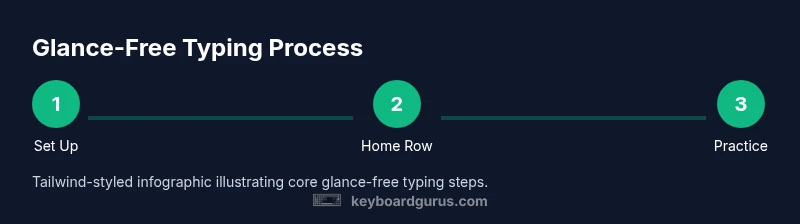
- 1
Position workstation for optimal posture
Adjust the chair height so feet rest flat and knees form a comfortable angle. Align the monitor so the top is at eye level. Place the keyboard so the elbows stay near 90 degrees and wrists hover above the keys. This creates a stable base for glance-free typing.
Tip: Use a footrest if your hips sit higher than your knees to maintain neutral spine. - 2
Place hands on home row and anchor fingers
Rest your left fingers on A, S, D, F and right fingers on J, K, L, ; with index fingers on F and J. Keep wrists straight and light contact with the keys. From this anchor, every other key has a predictable path.
Tip: Feel the small bump on F and J to locate home keys without looking. - 3
Begin with simple home-row drills
Practice repeating home-row sequences (asdf, jkl;) until you can return to the home row without glancing. Maintain a steady rhythm and slow pace to prioritize accuracy.
Tip: Count a beat in your head to keep a consistent tempo. - 4
Add letter sequences gradually
Incrementally introduce adjacent keys while keeping eyes on the screen. Move from home-row-only to short digraphs and then common word parts.
Tip: Pause to verify accuracy after each new letter pair. - 5
Type real content without looking
Shift to short passages or emails, focusing on memory recall rather than accuracy alone. Correct errors with minimal finger movement.
Tip: If you slip, reset the line and try again with the home row anchor. - 6
Incorporate timed drills
Set a timer for 5–10 minutes and push for higher accuracy rather than speed. Track results to measure improvement.
Tip: Aim for incremental gains in both speed and precision each session. - 7
Record and review progress weekly
Log WPM and accuracy, compare weekly data, and identify which drills yield the best gains. Use this to adjust your plan.
Tip: Highlight one area to improve in the next week. - 8
Address common errors with targeted fixes
Tackle habitual slips such as mispositioning hands or peeking at the keyboard by returning to home-row drills and posture checks.
Tip: Take a short posture check before each new block of typing. - 9
Maintain routine and adjust goals
Keep a consistent practice cadence and gradually raise target speeds while maintaining accuracy goals.
Tip: Set monthly milestones and celebrate small wins.
Got Questions?
Can adults realistically learn to type without looking at the keyboard?
Yes. With consistent, deliberate practice and proper setup, most adults can learn to type without looking at the keys. Start with the home row, maintain a steady pace, and gradually increase complexity while focusing on accuracy.
Yes. Adults can learn glance-free typing with steady, mindful practice.
How long does it take to see noticeable improvements?
Many people notice incremental gains within 2–4 weeks of daily practice. Meaningful speed and accuracy growth typically emerge over 6–12 weeks with consistent effort.
Noticeable gains usually appear within a few weeks, with bigger changes over a couple of months.
Is a specialized keyboard layout required for glance-free typing?
No. Start with a standard QWERTY layout. Some users experiment with alternative layouts or split keyboards, but initial progress comes from technique and practice rather than hardware changes.
Not necessary to switch keyboards right away; focus on the technique first.
What if I still look at the keyboard sometimes?
Occasional looking is normal during early stages. Return your gaze to the screen and refocus on the home row. Over time, your reliance on visual cues should diminish as muscle memory grows.
It’s okay to peek during early practice; gradually reduce peeking as accuracy improves.
Can I learn this while gaming or studying?
Yes. Blend short glance-free drills into study breaks or between gaming sessions. The key is maintaining consistency and letting the practice influence real tasks gradually.
Absolutely, weave practice into daily activities for steady gains.
Watch Video
What to Remember
- Practice daily to build lasting muscle memory.
- Maintain neutral posture to prevent fatigue and errors.
- Use a timer and track progress to stay motivated.
- Progress comes in waves; stay patient and consistent.