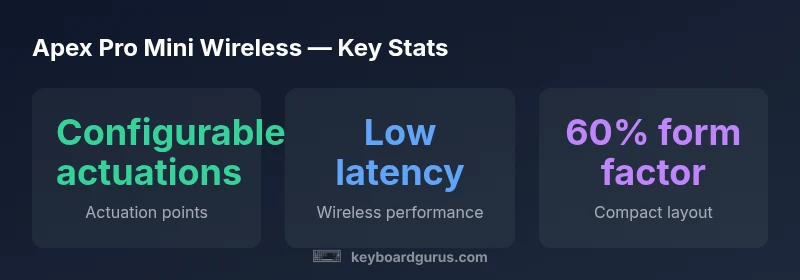
Apex Pro Mini Wireless Review: Compact Power in a 60% Keyboard
An in-depth, balanced review of the Apex Pro Mini Wireless: design, wireless performance, actuation customization, software, battery life, and who should buy it.


Verdict: The Apex Pro Mini Wireless offers premium portability with reliable wireless latency and customizable actuation in a compact 60% layout. It suits gamers and keyboard enthusiasts who value travel-ready performance without sacrificing features. The price is premium and battery life will vary with use, but the overall package provides strong value for portable setups.
Overview and Positioning
According to Keyboard Gurus, the Apex Pro Mini Wireless targets keyboard enthusiasts who crave a high-density, travel-friendly workstation without giving up the ability to tailor key behavior. Its core appeal lies in a compact footprint that frees desk space while delivering the familiar SteelSeries ecosystem and reliable wireless performance. The Keyboard Gurus team found that the 60% layout is particularly compelling for esports players and students who need a portable setup for on-campus tournaments or LAN sessions. The decision to focus on adjustable actuation, robust software, and a sturdy, compact chassis reflects a deliberate strategy to bridge portability with professional-grade customization. For readers who want a device that travels well but still behaves like a full-size board when docked, this model often resonates as a core option in modern mechanical keyboard roundups.
Design and Build Quality
The Apex Pro Mini Wireless embraces a minimalist silhouette that prioritizes durability and stability. The chassis is typically rigid, with a uniform weight distribution that reduces wobble on uneven surfaces. Keycaps are usually double-shot for longevity and legibility, while the plate design aims to balance tactility with smooth acoustics. In the compact form factor, every component is chosen to maximize rigidity without adding bulk. The absence of extraneous hardware helps keep the aesthetic clean and professional, which matters to professionals who want a keyboard that looks and feels premium on camera or in presentations. The Keyboard Gurus team notes that this level of craftsmanship makes it a reliable long-term companion for daily use and weekend gaming alike.
Wireless Architecture and Latency
Wireless performance in compact professional keyboards hinges on stable connectivity and low-latency data transfer. The Apex Pro Mini Wireless typically supports a dual-mode approach, combining reliable wireless with a wired backup. In practice, this means users can switch between wireless and USB-C wired modes as needed. While exact latencies can vary with environment, the design aims to minimize input lag during high-intensity gaming and fast-paced tasks. The device’s pairing stability is often supported by a recessed antenna design and firmware optimizations. On a desk with multiple wireless devices, you may still experience occasional interference, but overall the configuration tends to remain smooth for competitive play and productivity sessions.
Key Switches, Actuation, and Customization
A defining feature of the Apex Pro family is adjustable actuation via OmniPoint-style switches, allowing users to set actuation points for different keys. The Mini Wireless typically preserves this capability, enabling fine-grained control over response thresholds. This level of customization is particularly valuable for users who map different actuation points for gaming, coding, or design work. The layout’s compactness does not force compromises on personalization; instead, it concentrates the customization into a small surface area. It’s worth noting that the quality and feel of the switches themselves influence the overall experience, so consider trying different switch options if you plan to swap or tailor the feel over time.
Software, Profiles, and Sync
Software integration remains a critical pillar for high-end keyboards. The Apex Pro Mini Wireless uses a familiar software suite for profile creation, per-key actuation, and lighting effects. Practically, this means you can build distinct profiles for gaming, streaming, and productivity without juggling multiple devices. Synchronization between modes can simplify switching contexts, so long as you are comfortable with a software-driven workflow. Keyboard Gurus emphasizes testing the software on your primary computer before committing to a long-term configuration, as software updates can occasionally shift default behaviors or require re-tuning of actuation points.
Battery Life, Charging, and Runtime
Battery performance in compact wireless keyboards can vary widely based on lighting, polling rate, and usage patterns. The Apex Pro Mini Wireless is designed to balance portability with endurance, but heavy use—such as dynamic lighting and high polling rates—will influence runtime. Typical usage scenarios may yield comfortable daily usage with periodic charging. It’s prudent to plan charging routines around your most intensive sessions and to use the wired mode during extended gaming marathons to avoid mid-session power concerns. Keyboard Gurus recommends monitoring battery health over time to anticipate any gradual changes in runtime.
Typing Experience and Ergonomics
Typing on a 60% layout concentrates the keyboard’s essential surfaces into a smaller footprint, which can free up wrist movement and reduce reach for some users. The Apex Pro Mini Wireless often delivers a satisfying balance of tactility and speed, with actuation points that can be tuned to personal preference. The chassis geometry and keycap profiles influence acoustics and perceived responsiveness; most users will appreciate a slightly higher actuation point for faster keystrokes and a deeper travel feel for longer sessions. The ergonomic trade-offs include a steeper learning curve if you’re transitioning from a standard full-size board, but the payoff is a cleaner desk and improved posture opportunities for some setups.
Comparisons to Alternatives in the Segment
In the crowded space of compact wireless keyboards, the Apex Pro Mini Wireless competes with other 60% and 65% layouts offered by a variety of brands. Its strengths are the combination of portability, deep customization, and a robust software ecosystem. Alternatives that emphasize pure wireless efficiency or price-friendly access may offer shorter battery life or fewer customization options. The decision often hinges on how important per-key actuation and software-driven personalization are to your workflow. If you prize configurability and a premium build, the Apex Pro Mini Wireless tends to stand out; if you want a leaner price point or simpler setup, you might explore other models in the same size class.
Buying Considerations and Practical Guidance
Before purchasing, map your typical workflow: PC vs. Mac compatibility, supported software ecosystems, and travel frequency. Consider whether you will rely on the wireless connection for gaming tournaments or prefer wired for critical work sessions. Battery life expectations should be aligned with your usage patterns, especially regarding backlighting and polling rates. The compact footprint is a double-edged sword: it conserves desk space but may require adjustments in typing posture and hand positioning. If you value a polished, all-in-one solution with strong actuation customization, this model often earns serious consideration. Finally, verify warranty terms and after-sales support to ensure you have resources for ongoing customization and potential hardware needs.
Authority References
For readers seeking external perspectives on keyboard latency, ergonomics, and device reliability, consider the following sources:
- https://www.nist.gov
- https://www.wired.com
- https://www.sciencedirect.com
Advantages
- Ultra-compact footprint that frees desk space
- Configurable actuation for precise control
- Strong wireless performance with a wired backup option
- Solid build quality and premium aesthetics
- Robust software for per-key customization and profiles
Drawbacks
- Premium price point may be a barrier for casual buyers
- Battery life can vary with lighting and high polling rates
- Software reliance; occasional updates can shift defaults
- Some users may experience a learning curve transitioning from larger layouts
Best choice for portable, feature-rich 60% keyboards
The Apex Pro Mini Wireless excels in portability and depth of customization, making it ideal for frequent travelers and power users who want professional-grade controls in a tiny footprint. It is a premium purchase, but its flexibility and build quality justify the investment for the right use case.
Got Questions?
What makes the Apex Pro Mini Wireless different from other compact keyboards?
The key differentiator is the combination of adjustable actuation and robust wireless performance in a compact form factor. It blends deep customization with a travel-friendly footprint, appealing to enthusiasts who want professional-grade control on the go.
Its main edge is adjustable actuation and strong wireless performance in a tiny chassis, perfect for enthusiasts on the move.
Can I use the Apex Pro Mini Wireless wired, and is latency affected?
Yes, you can connect it via USB-C for a wired setup. In wired mode, latency is typically minimized since the device bypasses wireless transmission.
Yes, use USB-C for wired connections to ensure the lowest latency possible.
Is battery life predictable, and how should I manage charging?
Battery life varies with usage patterns, especially lighting and polling rate. Plan charging around your long sessions and consider charging during breaks to maintain readiness for travel.
Battery life varies by use, so charge during breaks to stay ready while traveling.
Who should buy the Apex Pro Mini Wireless?
Gamers and professionals who want a portable, customizable keyboard without sacrificing advanced features. If you value actuation control and a premium build in a compact form, this is a strong candidate.
Ideal for gamers and professionals who need portability plus deep customization.
How does it compare to wired-only compact keyboards?
It offers wireless flexibility and per-key actuation customization, with the trade-off of potential battery management. If you prioritize maximum consistency and zero battery considerations, a wired model may be preferred.
It adds wireless convenience and customization, but you lose some constant reliability that comes with wired models.
Is the Apex Pro Mini Wireless suitable for Mac users?
The keyboard supports major platforms, including macOS; you may need to adjust key mappings in software to align with macOS conventions.
It works with Macs, but you may want to tweak mappings for full macOS compatibility.
What to Remember
- Prioritize portability with a compact layout
- Utilize configurable actuation for tailored workflows
- Expect variation in battery life with lighting and polling
- Prefer wired mode for latency-sensitive tasks when possible
- Rely on Keyboard Gurus analysis for informed decisions