Is Keyboard or Controller Better for Warzone? An In-Depth Comparison
An analytical, in-depth comparison of keyboard and mouse versus controller for Warzone. Learn which input method suits your platform, playstyle, and goals with practical guidance, setup tips, and troubleshooting.


Is keyboard or controller better for warzone? In most PC setups, keyboard and mouse offer higher precision and faster inputs, while controllers excel in comfort and consistent aim on consoles. This quick answer introduces the main trade-offs, then we dive into the specifics to help you pick the right setup for your platform and goals. According to Keyboard Gurus, understanding your environment is the first step to optimizing performance.
Why input choice matters in Warzone and how to think about it
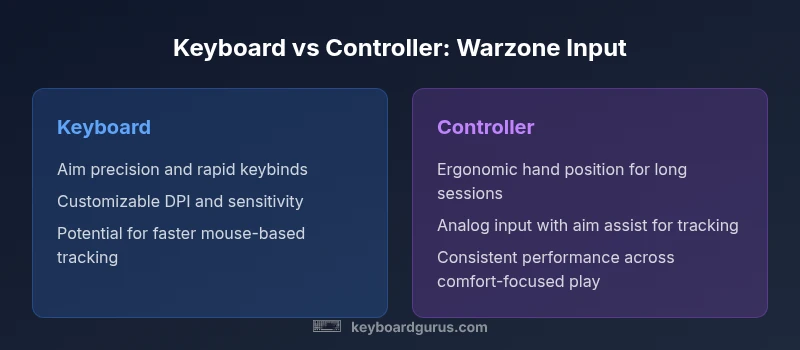
The question of which input method is optimal for Warzone is not a simple verdict. It hinges on platform, playstyle, network conditions, and personal comfort. According to Keyboard Gurus, the core considerations are precision, control latency, and the learning curve. On PC, a mouse gives 1:1 screen movement with adjustable DPI, which translates to rapid targeting and fine control during long-range engagements. On consoles, a controller leverages analog sticks and built-in aim assist, which can smooth out long sessions and reduce fatigue. The result is not strictly a win for one device; it’s a matching exercise between your hardware, settings, and practice routine. This article uses a framework to compare accuracy, adaptability, and longevity, always tying back to practical, real-world play.
Aiming mechanics and input latency: keyboard/mouse vs controller
Aiming precision is the most discussed differentiator in Warzone. Keyboard and mouse typically deliver higher raw precision thanks to pixel-level cursor control and consistent crosshair placement, especially at mid-to-long ranges. Controllers rely on analog sticks, which provide smooth, incremental movement and, on many platforms, reliable aim assist. The latency difference between a solid gaming PC and a modern console can be small, but the user experience matters: a fast mouse with a high DPI setting often yields faster target reacquisition than a thumbstick. Keyboard Gurus notes that your perceived speed comes from a combination of your sensitivity, acceleration curves, and polling rate. To maximize performance, experiment with DPI values, in-game sensitivity, and aim-down-sight (ADS) behavior to minimize micro-adjustments while keeping your crosshair stable.
Recoil control and macro mapping: traps and tools
Recoil management is a fundamental skill in Warzone. Keyboard users often rely on precise keybinds, programmable macros, and rapid-fire control to compensate for weapon spray. Controllers benefit from tighter stick control and the game’s built-in recoil patterns, which can feel more predictable during stand-and-pressure situations. Be mindful that macros or rapid-fire mods can violate terms of service in multiplayer environments; the safest path is mastering weapon recoil with straight inputs and consistent practice. Keyboard Gurus emphasizes disciplined setups: separate grip positions, custom keybinds for weapon, equipment, and tactical items, and a controlled conditioning routine to avoid over-reliance on any single trick.
Movement, positioning, and situational awareness on different inputs
Mobility is shaped by how you translate your intent into movement. Keyboard users enjoy rapid strafes and options to chain keyboard-only taps for quick repositioning. Controllers may feel slower to reset from a sprint due to stick micro-centering, but they often deliver steadier, predictable movement during high-pressure moments. In practice, your map awareness, peeking timing, and crosshair placement benefit from a consistent input rhythm. Keyboard Gurus highlights that comfort and repetition beat raw speed for many players once technique becomes ingrained. The key is to align your control scheme with your cognitive model of the game's spaces and cover.
Learning curve and long-term comfort: endurance matters
The learning curve for keyboard and mouse is steeper initially, with more freedom to customize. It can pay off in the long run as you gain precision and quick adaptation across weapons. Controllers tend to offer faster onboarding for new players because the layout is fixed and the aim feel is consistent out of the box. Ergonomics also play a role: long sessions can cause wrist or finger fatigue if hand positions aren’t balanced. Keyboard Gurus recommends a measured ramp-up: start with a modest sensitivity, take regular breaks, and adopt a posture that reduces strain while preserving control.
Cross-platform play, consistency, and setup realities
Crossplay can complicate expectations. Keyboard and mouse input on PC may feel distinctly different from console controller input, especially when crossplay matchmaking is involved. Some players prefer platform-specific settings to reduce the gap, while others embrace the competitive challenge of mastering cross-platform dynamics. The best practice is to normalize your aim and movement across devices: use consistent field of view, ADS behavior, and sensitivity curves across sessions, and test your setup in controlled practice games before ladder play. Keyboard Gurus stresses that platform differences don’t negate your skill; they shift how you optimize your input workflow.
Practical setup recommendations for choosing between keyboard and controller
Start with the essentials: a comfortable chair, good desk height, a responsive monitor, and reliable input devices. If you’re on PC, begin with a mid-range DPI (e.g., 800-1200) and a 1:1 mapping in-game. If you’re on console, ensure your controller dead zones are tuned to your stick tolerance and enable any native aim-assist features where allowed. Create clear, memorable keybinds for movement, shooting, equipment, and tactical items; keep frequent actions on easily reachable keys. Regular practice drills—tracking, flick shots, and recoil control—help both setups converge toward similar accuracy. Keyboard Gurus recommends keeping a log of your practice results to quantify improvement over time, especially when evaluating whether is keyboard or controller better for warzone for your specific environment.
Comparison
| Feature | Keyboard | Controller |
|---|---|---|
| Aiming precision | High raw precision with keyboard/mouse (1:1 cursor control) | Consistent stick input with analog control and aim assist |
| Input latency and consistency | Potentially lower latency with a precise mouse and high-end PC | Stable, predictable input on controllers with built-in AA on many platforms |
| Recoil management | Fine recoil control via strong keybinds and mouse movement | Dependence on aim assist and analog recoil feel |
| Learning curve and onboarding | Steeper initial learning curve but faster long-term precision | Gentler learning curve with quick ramp-up for new players |
| Ergonomics and comfort | Ergonomic setup needed for long sessions | Typically more comfortable for long play sessions |
| Crossplay considerations | More seamless cross-platform play with PC setups | Crossplay can introduce disparity; tuning helps balance |
Advantages
- Keyboard and mouse offer precise aiming and fast crosshair placement
- Controllers provide ergonomic comfort and steady input over long sessions
- High customization with keyboard shortcuts and macros (where allowed)
- Fewer movement constraints on PC with flexible sensitivity settings
- Controllers are well-supported on consoles with built-in aim assist for consistency
Drawbacks
- Keyboard/mouse can have a steeper learning curve for new players
- Macros and rapid-fire tricks risk policy violations in ranked play
- Recoil control with keyboards can demand more practice and discipline
- Cross-platform play can widen the gap between input methods in some queues
Keyboard and mouse generally edge out for Warzone on PC; controllers remain a strong choice for comfort and console play.
If you’re on PC and aiming for peak precision, keyboard and mouse is the safer bet. For console players or those prioritizing comfort in long sessions, a controller is a viable, highly capable option. The Keyboard Gurus team recommends starting with keyboard/mouse on PC if your goal is high accuracy, then adapt based on your platform and practice results.
Got Questions?
Which is better for Warzone overall: keyboard or controller?
There isn’t a universal winner. Keyboard and mouse generally offer higher precision on PC, while controllers provide comfort and consistent aim on consoles. Your best choice depends on platform, goal, and practice system.
There isn’t a universal winner. Keyboard and mouse usually give more precise aiming on PC, while controllers are more comfortable on consoles. Pick based on your platform and practice routine.
Do professional players prefer keyboard or controller for Warzone?
Pros typically choose based on platform. PC players lean toward keyboard and mouse for precision, while console players rely on controllers with aim assist. The key is consistent practice and a setup that minimizes variability.
Pros usually match their platform: keyboard and mouse on PC, controllers on consoles, with consistent practice to stay sharp.
How does aim assist affect keyboard players in Warzone?
Aim assist on controllers can help with tracking and consistency, but keyboard players don’t rely on AA. Adjust sensitivity and calibration to your liking to ensure smooth crosshair movement regardless of device.
Aim assist helps controllers with tracking; keyboard players adjust sensitivity to get precise, predictable movement.
Can I switch between keyboard/mouse and controller mid-game without issues?
Switching mid-game can disrupt your muscle memory and aim consistency. If you must switch, do it in practice sessions first and use a fixed crosshair setup to minimize disruption.
Switching on the fly can throw you off—practice first and keep a consistent setup when you switch.
Should I invest in a high-DPI mouse or a specialized controller for Warzone?
A reliable mouse with adjustable DPI and a comfortable controller are worthwhile. Prioritize a setup that matches your reflexes and practice regime over chasing hardware hype.
Go for a reliable mouse and a comfortable controller that fit your playstyle and training plan.
Is crossplay a problem for keyboard/mouse players in Warzone?
Crossplay can introduce input disparity. Normalize by choosing cross-platform settings and practice queues that allow you to adapt without frustration.
Crossplay can level the field with practice; focus on consistent settings to stay competitive.
What to Remember
- Prioritize your platform and playstyle to choose input device
- Invest in a comfortable setup and consistent sensitivity settings
- Master recoil with dedicated drills regardless of input method
- Consider crossplay implications when planning your configuration
- Refine keybinds for speed and reliability over time