Keyboard Practice Typing: A Complete How-To Guide
A comprehensive guide to keyboard practice typing that helps students, gamers, and professionals improve speed and accuracy through structured drills, posture techniques, and sustainable habits.


In this guide you will learn a structured approach to keyboard practice typing that builds speed and accuracy through timed drills, posture checks, and habit-forming routines. You’ll need a keyboard, a computer, a timer, and a focused practice plan to begin. By following the steps you’ll see measurable gains in both confidence and performance.
Why Keyboard Practice Typing Matters
For students, gamers, and professionals, typing speed and accuracy directly affect productivity and latency. Regular practice reduces cognitive load, frees mental energy for other tasks, and minimizes repetitive strain by encouraging consistent, relaxed motion. According to Keyboard Gurus, the most important gains come from methodical repetition, deliberate posture, and a clear progression plan. A strong foundation in touch typing becomes a transferable skill across devices and keyboards, making everyday tasks smoother and more enjoyable. This section lays the philosophical groundwork: practice is an investment in future efficiency, not a one-off effort. As you commit to a plan, you’ll notice fewer errors, easier multitasking, and a calmer transition between ideas and the keyboard.
Setting Baseline: Assessing Your Current Typing Speed and Accuracy
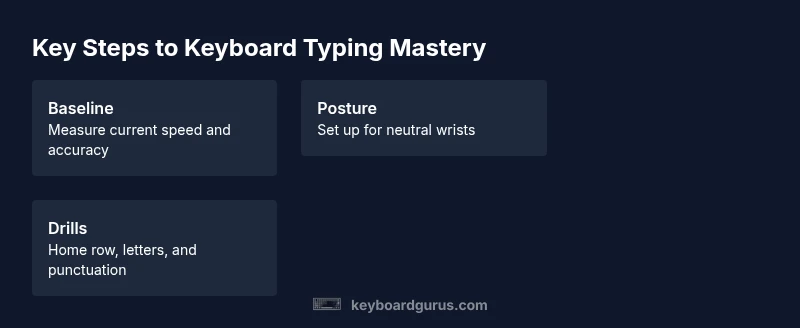
Before you start, establish a baseline so you can measure progress. Use a short 5-minute test to capture your current WPM and accuracy, then set a realistic baseline target—something you can reasonably improve in 4 to 6 weeks. Keep the test consistent: perform it on the same keyboard, sitting position, and with the same posture every time. Record results in a simple log (digital or paper). This baseline acts as your compass and helps you notice small shifts that often go unnoticed in day-to-day practice. Regular re-testing every 1–2 weeks reinforces momentum and keeps you honest about your rate of improvement.
Posture, Positioning, and Comfort
Posture matters as much as finger placement. Sit with feet flat, elbows at a comfortable angle, wrists neutral over the keyboard, and eyes on the screen. Your chair height should allow your forearms to be parallel to the desk to avoid wrist bending. Monitor height should keep your neck relaxed. A neutral setup reduces fatigue and makes longer practice sessions possible. Keyboard Gurus emphasizes that comfort is a performance booster: if you’re uncomfortable, your accuracy will drop and progress will stall.
Core Drills: Repetition, Rhythm, and Range
Begin with core drills that reinforce the home row and finger anchors. Start with guided home-row typing to build muscle memory, then add repeated letter sequences, numbers, and punctuation. Rhythm matters: aim for consistent keystroke timing rather than brute force speeds. Expand range by practicing common word patterns, then move on to longer phrases. Short, frequent sessions outperform long, sporadic marathons because consistency builds neuro-muscular memory and reduces hesitation.
Building a Practice Plan: Scheduling and Progression
Create a weekly schedule that balances warm-ups, main drills, and quick checks. A typical plan includes 10–15 minutes of warm-up (home row focus), 25–30 minutes of targeted drills (speed, accuracy, punctuation), and 5–10 minutes of cool-downs (recovery and posture review). Progression should be gradual: increase difficulty every 1–2 weeks by introducing more complex texts or denser punctuation. Adjust the pace based on how you feel and what your baseline shows. This is where a plan beats raw effort: it keeps you moving forward without burnout.
Tools, Software, and Metrics to Track Progress
Choose a typing platform or simple text editor with word counters to guide your practice. Essential tools include a reliable keyboard, a timer, and a desk setup that supports posture. Use metrics like WPM and accuracy, but also track consistency (days practiced per week) and error types (letters, numbers, symbols). A simple dashboard or notebook will do—the key is regular logging. Keyboard Gurus suggests pairing software with a human-studied routine for best results.
Common Pitfalls and How to Avoid Them
Avoid looking at the keyboard; it trains poor muscle memory and slows you down. Don’t tense your shoulders or grip the keyboard tightly—this is a surefire path to fatigue. Skipping warm-ups, skipping rest days, or rushing through drills can sabotage gains. If you feel pain or numbness, pause and review ergonomics. Build in micro-breaks and reset your posture as needed. Finally, resist the temptation to chase speed at the expense of accuracy; accuracy is the foundation for sustainable speed.
Advanced Techniques: Touch Typing Nuances and Keyboard Shortcuts
Once you have a solid touch-typing base, introduce nuance: learn common keyboard shortcuts to reduce mouse use and increase efficiency. Practice with caps lock awareness, proper use of the shift key, and how to reach bracket and symbol keys without looking. Frequent practice with short, focused bursts improves both speed and error rate. Shortcuts vary by OS; becoming fluent in the core ones early pays dividends when you switch between applications.
Creating a Habit: Maintenance and Long-Term Growth
The best typists treat practice as a daily routine, not a project with an end date. Build consistency by setting a fixed time, creating a comfortable workspace, and rotating drills so you don’t burn out. Celebrate small milestones, like hitting a new baseline or maintaining posture for longer durations. Over weeks and months, your typing will feel automatic, freeing cognitive resources for more complex tasks and ideas.
Accessibility and Inclusivity: Typing for All
Typing practice should be accessible to people with different keyboards, layouts, or motor abilities. If a layout is unfamiliar, begin with a gentler progression that emphasizes home-row anchors while gradually integrating new keys. Consider keyboard height, chair support, and adjustable devices that reduce strain. Inclusivity also means offering alternative practice formats, like text-to-speech reviews or large-print materials to ensure everyone can participate fully.
Adapting to Different Keyboards and Layouts
Keyboards vary in layout, switch type, and key travel. Start with your primary keyboard, then gradually test alternate layouts or devices. Maintain consistent posture and finger assignments even when keys differ. When moving to a new keyboard, spend a few minutes on hand placement first, then reintroduce drills at a comfortable pace to preserve accuracy while building speed.
Micro-Drills for Sustained Focus and Long-Term Mastery
Micro-drills are short, high-focus exercises designed to train specific weaknesses. Examples include one-minute burst rounds on a single row, sudden punctuation bursts, and rapid sentence rebuilds from memory. Schedule micro-drills at the start and end of sessions to sharpen reflexes and reinforce correct finger placement. This approach keeps practice dynamic and prevents stagnation.
Tools & Materials
- Keyboard(Any layout; ensure ergonomic setup)
- Computer or tablet with keyboard support(Works with typing software)
- Typing practice software or online platform(Choose one with guided drills)
- Timer or stopwatch(Use for timed drills)
- Chair with adjustable height(Maintain feet flat on floor)
- Ergonomic wrist rest(Optional for comfort)
- Notebook or app for progress tracking(Log sessions and metrics)
- Clear desk space(Reduce distractions during practice)
Steps
Estimated time: 60 minutes per session
- 1
Assess Baseline and Goals
Run a 5-minute baseline typing test to capture your initial WPM and accuracy. Record results and set a realistic weekly improvement target. This creates a clear benchmark and prevents aimless practice.
Tip: Choose the same test and keyboard every time to keep results comparable. - 2
Optimize Your Setup
Adjust chair height, monitor angle, and keyboard tilt so your wrists stay neutral and your eyes face the screen. A comfortable setup reduces fatigue and improves endurance for longer sessions.
Tip: If you feel tension in shoulders, pause and re-check alignment before resuming. - 3
Warm-Up with Home Row Drills
Begin with short warm-ups focused on the home row to activate finger memory. Practice simple sequences and gradually add complexity as you feel ready.
Tip: Keep wrists elevated slightly above the desk to avoid resting weight on joints. - 4
Practice Repetition Circuits
Alternate between letter drills, number drills, and punctuation drills. Repetition reinforces muscle memory and reduces hesitations.
Tip: Use a metronome-like pace to maintain steady rhythm. - 5
Introduce Short Texts
Move from isolated letters to sentences and phrases. This helps you practice word transitions and punctuation flow.
Tip: Focus on accuracy first; speed will follow as accuracy improves. - 6
Incremental Speed Bursts
Add 2–3 bursts per week where you push for a higher WPM for 30–60 seconds, then return to normal pace.
Tip: Always return to a controlled pace after bursts to consolidate gains. - 7
Track and Reflect
Record WPM, accuracy, and error types. Review progress weekly and adjust targets as needed.
Tip: Highlight recurring mistakes to tailor future drills toward them. - 8
Build a Sustainable Habit
Set a fixed practice window, celebrate milestones, and keep sessions short but frequent to sustain motivation.
Tip: Pair practice with a daily routine (e.g., after morning coffee).
Got Questions?
What keyboard setup is best for practice?
Any standard keyboard works for practice. Prioritize comfort, neutral wrists, and an ergonomic chair. The key is consistency in position and form.
Any standard keyboard works; prioritize comfort and neutral wrists for best results.
How often should I practice to improve fastest?
Daily practice in short sessions is more effective than long, infrequent sessions. Aim for 20 to 60 minutes most days of the week.
Daily short sessions are best; aim for at least a 20 to 60 minute window most days.
Should I use touch typing from the start?
Yes. Learn touch typing early to maximize long-term speed and accuracy. It reduces the need to look at the keyboard and speeds up text entry.
Yes—learn touch typing early to maximize speed and accuracy.
Can typing games help my practice?
Typing games can be a fun supplement, but keep main drills focused on form and accuracy. Use them sparingly to maintain motivation without sacrificing fundamentals.
Yes, as a supplement, but keep core drills focused on accuracy.
Is it necessary to learn shortcuts for typing?
Shortcuts reduce mouse usage and increase workflow efficiency. Practice a few at a time after you’re comfortable with basic touch typing.
Yes, learn a few shortcuts gradually after you’re comfortable with typing basics.
Watch Video
What to Remember
- Start with a clear baseline and goals.
- Keep your posture and setup comfortable.
- Prioritize accuracy in drills to build sustainable speed.
- Use a structured plan and track progress weekly.
- Habit formation is essential for long-term growth.