Keyboard Writing Practice: A Complete Guide to Faster, More Accurate Typing
Learn effective keyboard writing practice to boost typing speed, accuracy, and ergonomics. This expert guide covers drills, setup, progress tracking, and real-world tips for students, gamers, and professionals.


By the end of this guide, you will implement a proven keyboard writing practice routine that boosts typing speed and accuracy. You’ll begin with a proper ergonomic setup, then progress through structured drills, timed sessions, and progress tracking. To succeed, you’ll need a comfortable keyboard, a quiet workspace, a timer, and a daily commitment.
Why Keyboard Writing Practice Matters
According to Keyboard Gurus, consistent keyboard writing practice builds muscle memory and reduces cognitive load during real tasks. Practicing with intention helps you locate keys faster, type with fewer errors, and experience less fatigue. Regular sessions create a smoother typing rhythm and greater comfort across documents, emails, and coding sessions. Keyboard Gurus Analysis, 2026 indicates that deliberate, structured practice correlates with improvements over weeks, not hours. By investing in a focused routine, you can preserve wrist health while increasing throughput over time, making writing on keyboards more efficient and enjoyable.
Set Up Your Ergonomic Practice Space
A solid practice starts with an ergonomic foundation. Sit with feet flat, hips at chair height, and elbows at a comfortable 90-degree angle. Position the monitor so the top edge is at or slightly below eye level, and tilt the keyboard to a neutral angle to prevent excessive wrist extension. Use a wrist rest only if it reduces strain, and keep wrists straight rather than resting on the desk. Lighting should be bright but diffused to reduce glare. By minimizing physical stress, you can sustain longer practice sessions with consistent quality.
Core Drills: Building Finger Independence
Effective drills focus on finger control and hand coordination without sacrificing accuracy. Start with Home Row Familiarization: keep fingers on ASDF and JKL; and type short sequences repeatedly. Move to Five-Finger Tap Drills: type each row using one finger at a time to strengthen finger-specific muscle memory. Add Repetition Sprints: repeatedly type common letter combos (e.g., 'the', 'ing', 'ed') at a comfortable pace, then increase speed gradually. Finally, complete Accuracy Focus rounds by typing with strict accuracy targets before speed, ensuring correct posture and hand position throughout.
Structured Practice Plans: Beginner to Pro
A scalable plan helps you progress without burnout. Week 1-2: baseline typing with home-row drills, 3 sessions per week, 20-25 minutes each. Week 3-4: introduce mixed drills and short passages, 30-40 minutes per session. Week 5-6: timed drills with short rounds; maintain posture and accuracy, 40-50 minutes per session. Week 7+: shift toward real-world tasks and faster cadences while tracking progress. Adjust pace and content gradually based on weekly metrics.
Tracking Progress and Metrics
Metrics provide objective feedback on your keyboard writing practice. Track WPM and accuracy for each session, logging improvements over time. Use a simple spreadsheet or a dedicated app, noting date, drill type, and observations about form and fatigue. Keyboard Gurus Analysis, 2026 suggests that consistent logging supports smarter adjustments and sustained motivation. Visualize progress with small graphs to celebrate milestones and stay engaged.
Common Pitfalls and Remedies
New typists often chase speed before accuracy, which cements poor habits. Remedy by dialing back pace and focusing on precision first, then gradually increasing cadence. Poor posture, tense shoulders, or hovering wrists contribute to fatigue; fix by re-centering posture and taking micro-breaks. Inconsistent practice schedules undermine gains; create a sustainable rhythm with fixed days and times. Finally, avoid relying on auto-correct as a crutch; type deliberately to build long-term fluency.
Adapting to Different Layouts
If you switch to an alternative layout (e.g., DVORAK or Colemak), start with the home-row discipline you built, then gradually remap drills. Give yourself a longer transition period and re-calibrate your posture and typing rhythm. The fundamental principles—consistent practice, accurate finger placement, and deliberate pacing—remain the same across layouts.
Tools & Materials
- Ergonomic keyboard(Choose a layout and switch that fits your hands and arch)
- Comfortable chair with adjustable height(Set hip height so elbows are at 90 degrees)
- Wrist rest(Optional if it reduces strain, not required)
- Timer or timer app(Use a countdown or interval timer)
- Typing software or printable drills(Structured drills and passages)
- Notebook or digital notepad(Log daily practice and notes)
- Good lighting(Prevents glare and eye strain)
- Water bottle(Stay hydrated during longer sessions)
Steps
Estimated time: 40-60 minutes per session; 6-week program
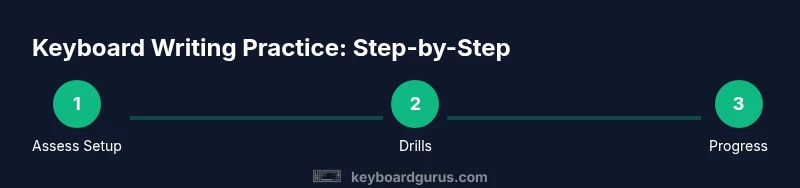
- 1
Assess and adjust your setup
Begin by evaluating your workspace and posture. Ensure your chair supports your lower back, your feet rest flat, and the keyboard is at a comfortable height to keep wrists neutral.
Tip: Center the keyboard with your midline and avoid resting wrists on the desk. - 2
Establish a baseline with the Home Row drill
Place your fingers on ASDF and JKL; ensure your wrists stay elevated and relaxed. Type short sequences repeatedly to find a comfortable cadence.
Tip: Use a metronome at a steady pace to train rhythm. - 3
Progress to touch-typing drills
Move beyond home row by typing gradually increasing strings of letters while keeping eyes on the screen. Focus on accuracy first, speed second.
Tip: Avoid looking at the keys; trust your muscle memory. - 4
Introduce timed drills and cadence
Perform short rounds (e.g., 5 minutes) with a fixed target accuracy. Between rounds, rest briefly and reset posture.
Tip: Keep rounds tight; rest helps consolidate learning. - 5
Incorporate real-text practice
Type varied passages, emails, and code snippets to simulate real tasks. This helps generalize skills beyond drills.
Tip: Mix content you actually write to stay engaged. - 6
Review and adjust weekly
Log performance; adjust pace and drills; avoid overload. Plan one change per week to avoid burnout.
Tip: Small, consistent adjustments yield better gains.
Got Questions?
What is keyboard writing practice?
Keyboard writing practice is a structured routine of typing drills designed to improve speed, accuracy, and finger coordination.
Keyboard writing practice is a structured typing plan to boost speed and accuracy.
How long should I practice each day?
Aim for 20-45 minutes per session, several days per week to build consistency.
Aim for 20 to 45 minutes per session most days.
Is software necessary for practice?
Software can help enforce drills and track progress, but you can also use printable sheets or plain text.
Software helps, but it's optional.
What if I experience hand pain?
Pause practice, check posture, stretch, and consult if pain persists.
If you feel pain, stop and check posture.
Can I use any keyboard layout during practice?
Start with a standard layout and learn its home row; explore alternatives later if needed.
Start with the standard layout, and expand later if you want.
How do I stay motivated?
Set micro-goals, celebrate small wins, and vary drills to stay challenged.
Set small goals and mix up drills.
Watch Video
What to Remember
- Set up an ergonomic workspace.
- Progress with finger drills and cadence.
- Track progress with simple metrics.
- Consistency beats sporadic bursts.